What leaves your card when you reserve, what happens when a supplier says yes or no, where your invoice is, and what you get back if you cancel.
The Eventadore team6 min readUpdated 19 October 2026
On Eventadore you pay one thing to us: a booking fee for each supplier you book. It is already inside the price you see, never added on top, so booking here costs exactly what booking the supplier directly would. Everything else you pay to the supplier, directly.
Reserving holds that fee on your card while the supplier decides. It is charged only when they say yes.
1 · Choose who to reserve now
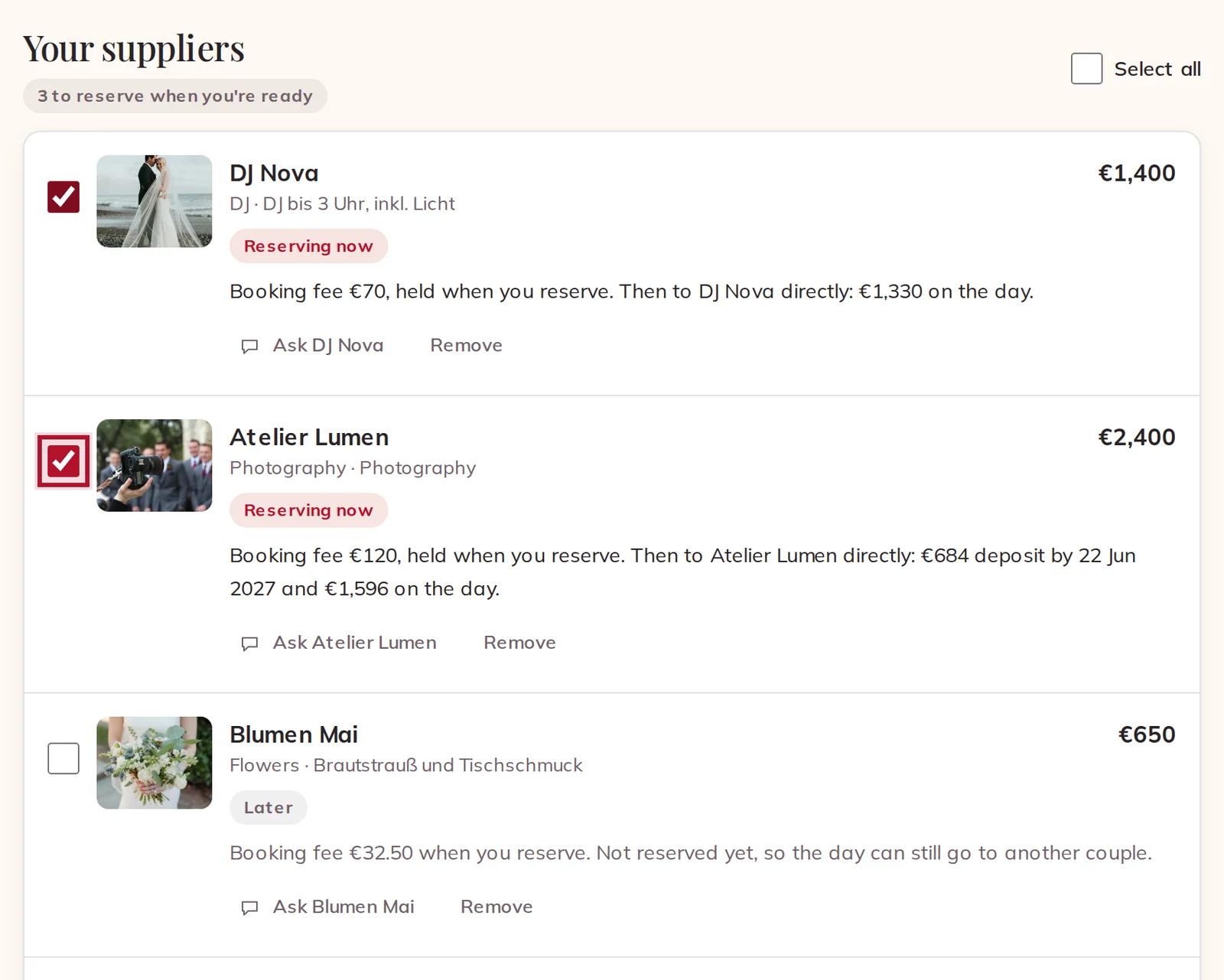
Open your Planning. Every supplier under Your suppliers has a box: tick the ones you want to reserve now, or tick Select all. You don't have to reserve everyone at once — the rest stay in your Planning, priced as you added them, marked Later.
Each line says what it costs you: the booking fee held when you reserve, then what goes to the supplier directly — a deposit by a date they set, and the rest on the day.
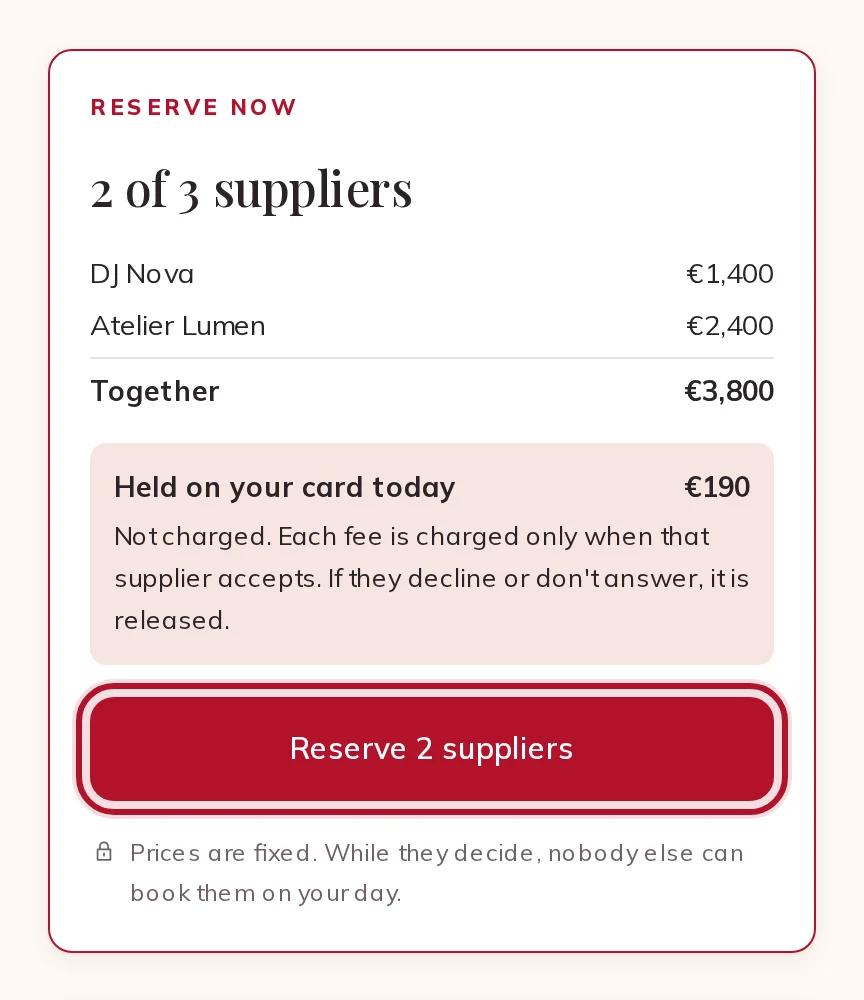
The Reserve now box beside the list adds up what you ticked and shows what is Held on your card today: the booking fees, not the prices. Press the button under it.
The Reserve now box with the total and the fees held today
Suppliers marked Accepts at once have said yes to every free day in advance. Reserving them books them straight away: their fee is charged at once and there is nothing to wait for.
2 · Check who you contract with
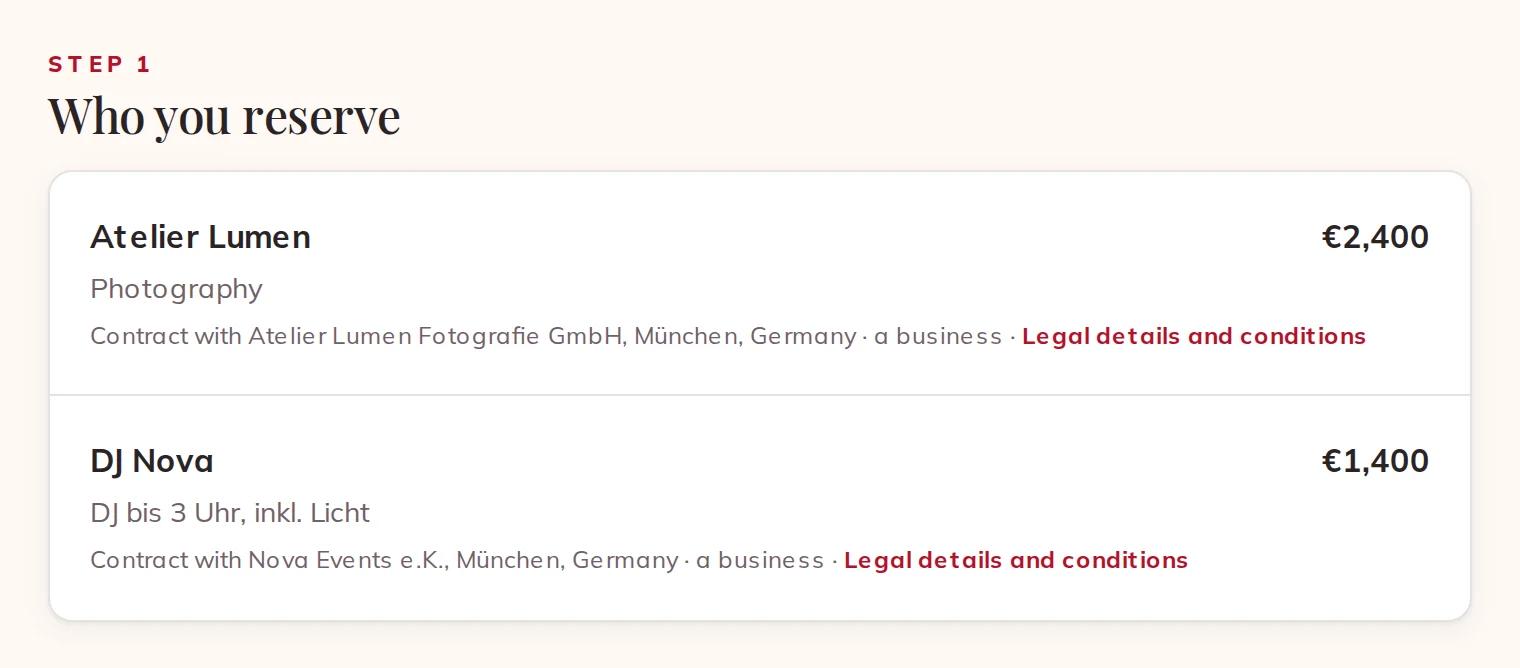
The checkout holds your day for 30 minutes while you finish. Step 1, Who you reserve, names each supplier's legal name, town and country, and whether they offer as a business or as a private person. Your contract for the work is with them. Legal details and conditions opens their terms.
Who you reserve: legal name, place, business or private person
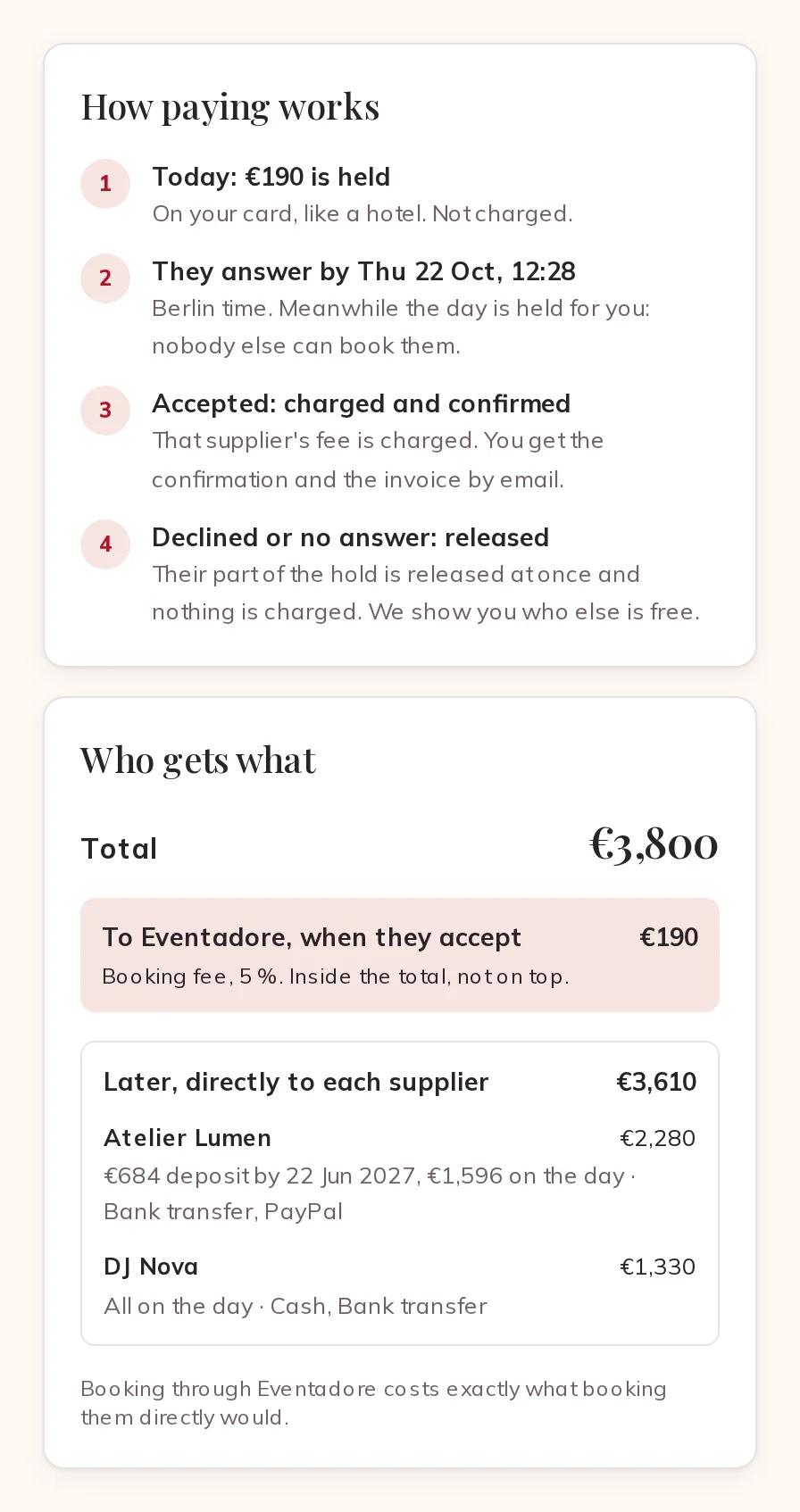
Beside it, How paying works walks through what happens next, and Who gets what splits the total: To Eventadore, when they accept — the booking fee — and Later, directly to each supplier, with each one's deposit, the rest on the day, and the payment methods they take.
How paying works and Who gets what
3 · Hold the booking fee
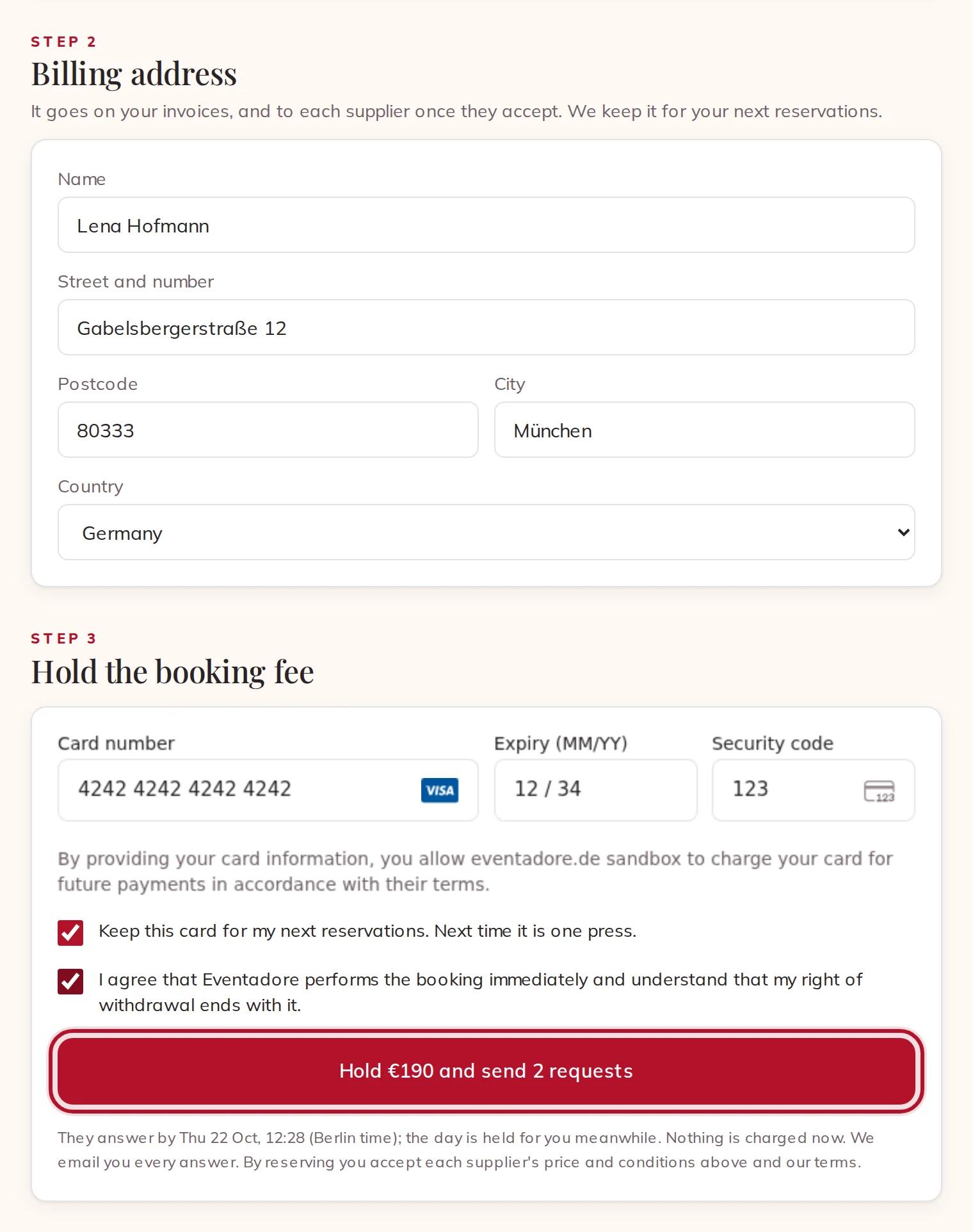
Fill in your Billing address — it goes on your invoices, and to each supplier once they accept. Then enter your card, or use Apple Pay or Google Pay. Leave Keep this card for my next reservations. Next time it is one press. ticked if you want the next reservation to take one press.
Tick the last box — I agree that Eventadore performs the booking immediately and understand that my right of withdrawal ends with it. — and press the button. It says how much is held and how many requests go out.
Billing address, card, and the box to tick before holding the fee
Nothing is charged at this point. The fee is held on your card, like a hotel does, and each supplier is asked.
Paying by bank transfer instead
When a transfer is offered, the link Pay by bank transfer instead: your suppliers are asked once the money arrives sits under the card form. Nothing can be held on a transfer, so the money comes first: tick the same box, press Show the transfer details, and transfer the fees with the reference shown within 7 days. Your day is held meanwhile, and the suppliers are asked as soon as we see the money. If one of them then says no, their part comes back to you by bank transfer, to the account it came from, within 5 working days.
4 · While they decide
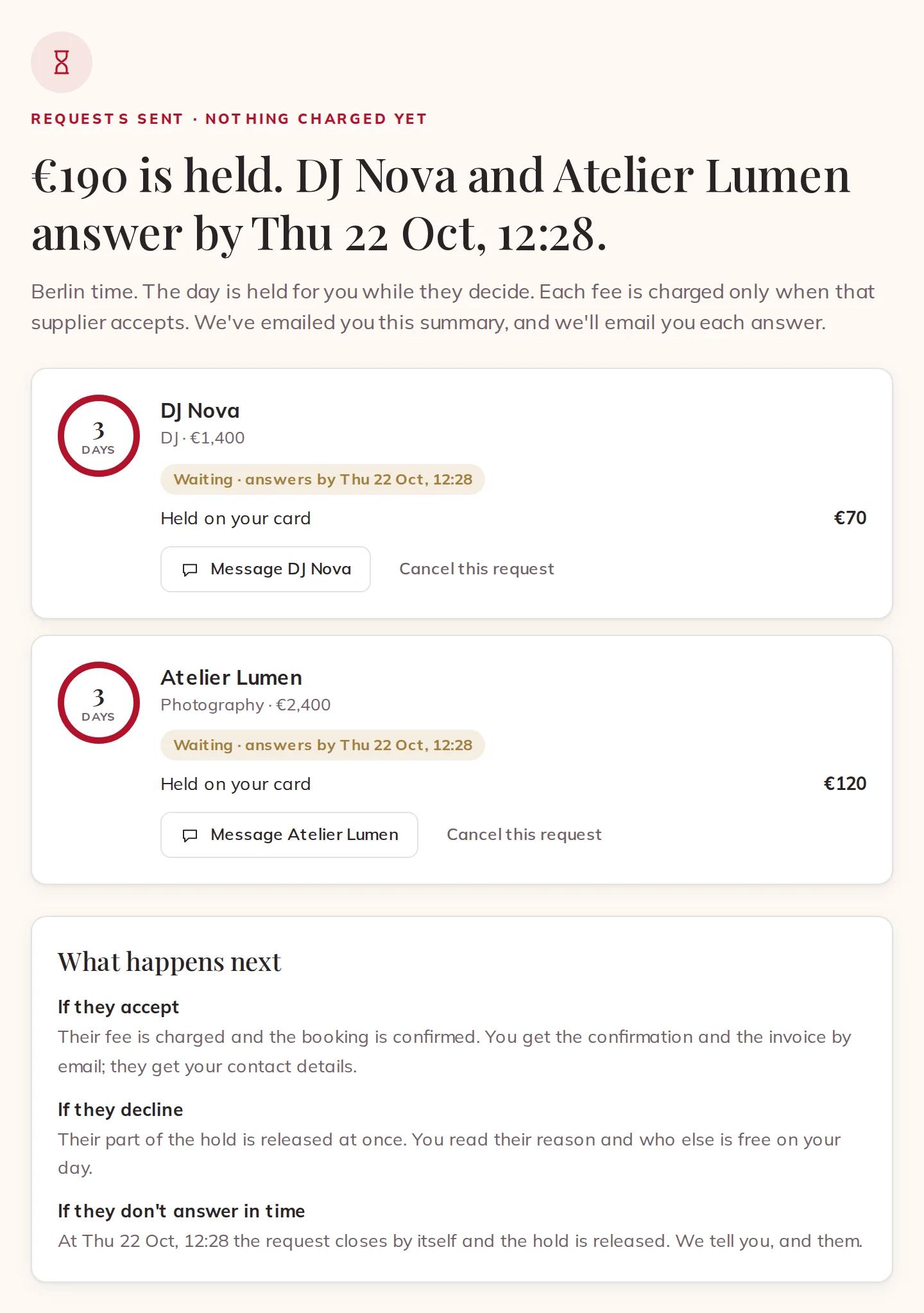
The next page shows what is held and by when each supplier answers. The closer your day, the less time they have:
more than two weeks away: 72 hours
between three days and two weeks: 24 hours
under three days: 6 hours
Requests sent: what is held and when they answer
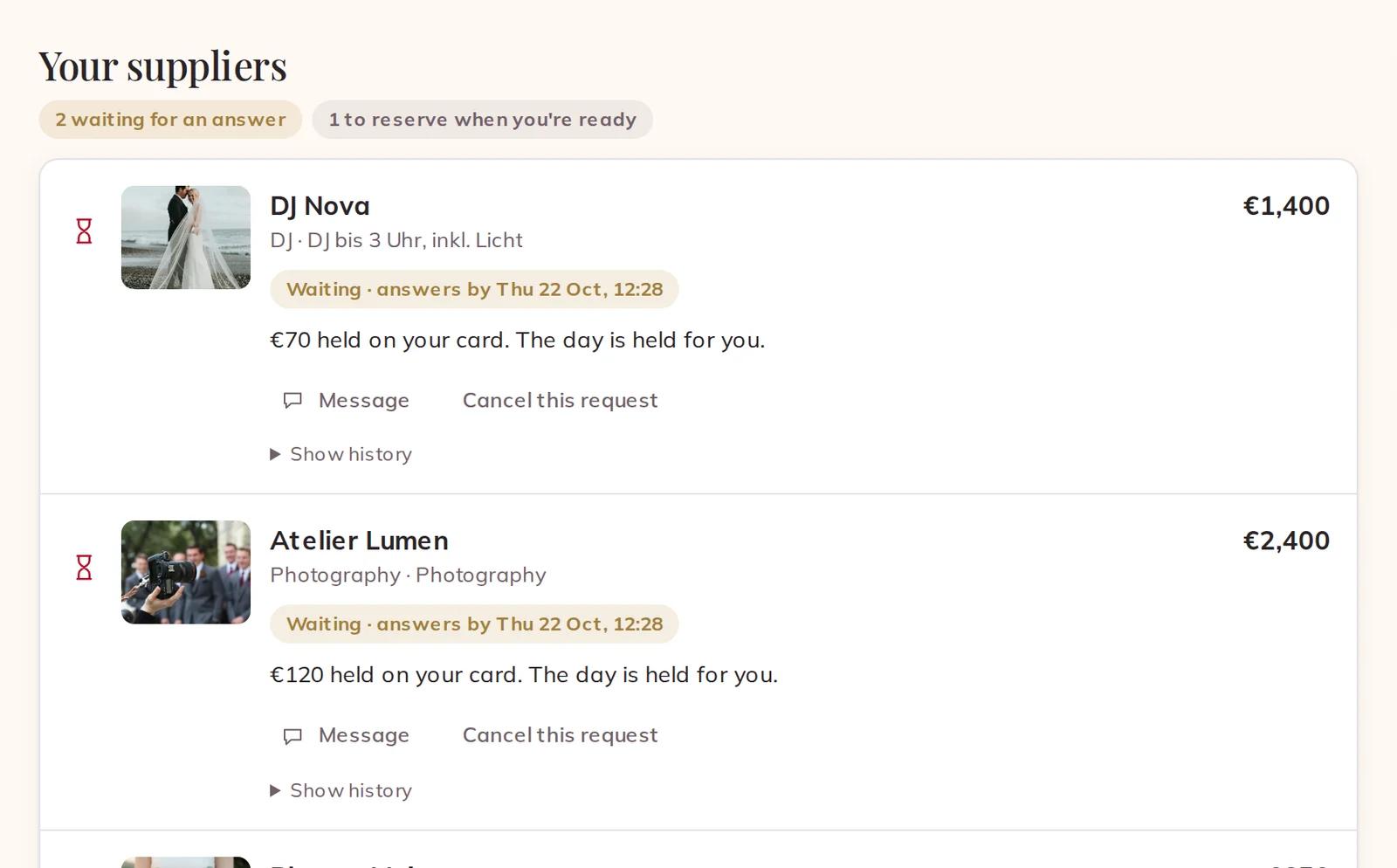
Your Planning shows the same: each line is waiting, with its deadline, and the day is held for you. Changed your mind? Cancel this request lets the supplier go: nothing is charged, and they go back to your Planning as Later.
Lines waiting for an answer in your Planning
5 · When they answer
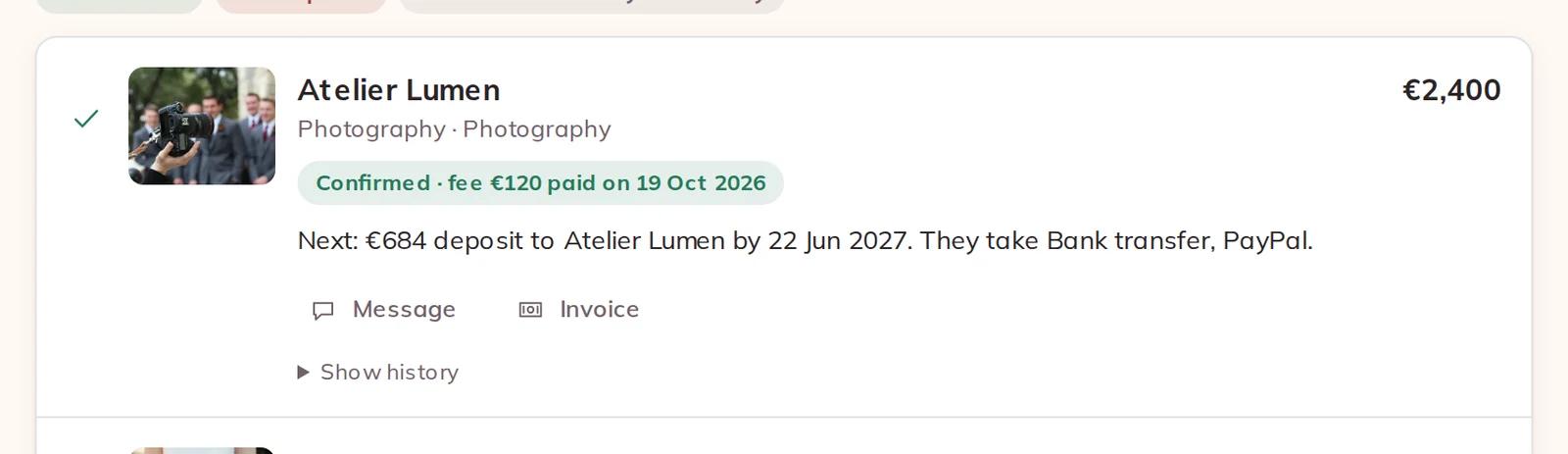
They say yes. Their fee is charged, the booking is confirmed, and you get the confirmation and the invoice by email. The supplier now gets your contact details. The line tells you what comes next — the deposit, its date and how they take it — and links to the Invoice.
A confirmed booking with the next payment to the supplier
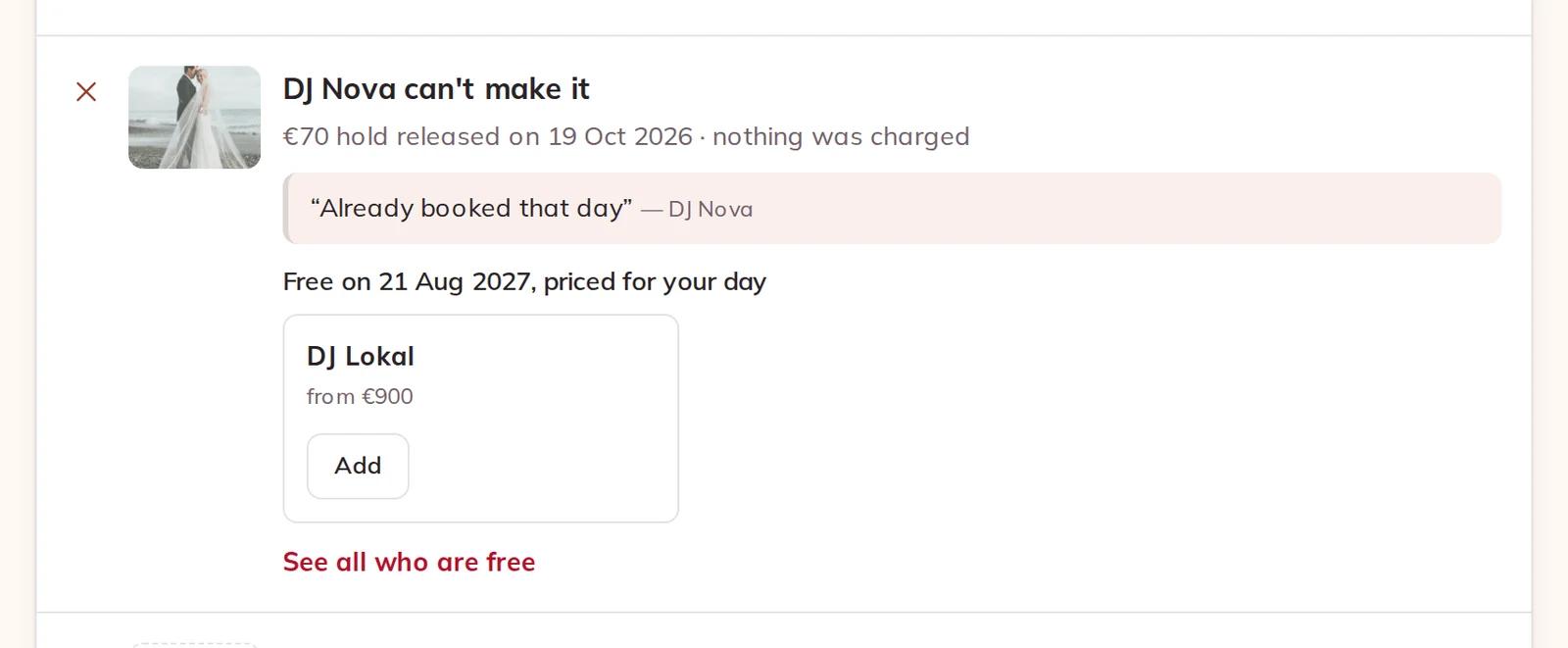
They can't make it, or don't answer in time. The hold is released and nothing is charged. You read their reason, and the line shows who else is free on your day, priced for it. The same happens, by itself, if your card refuses the charge when they accept.
A supplier who can't make it: the hold released, nothing charged
6 · Your money plan
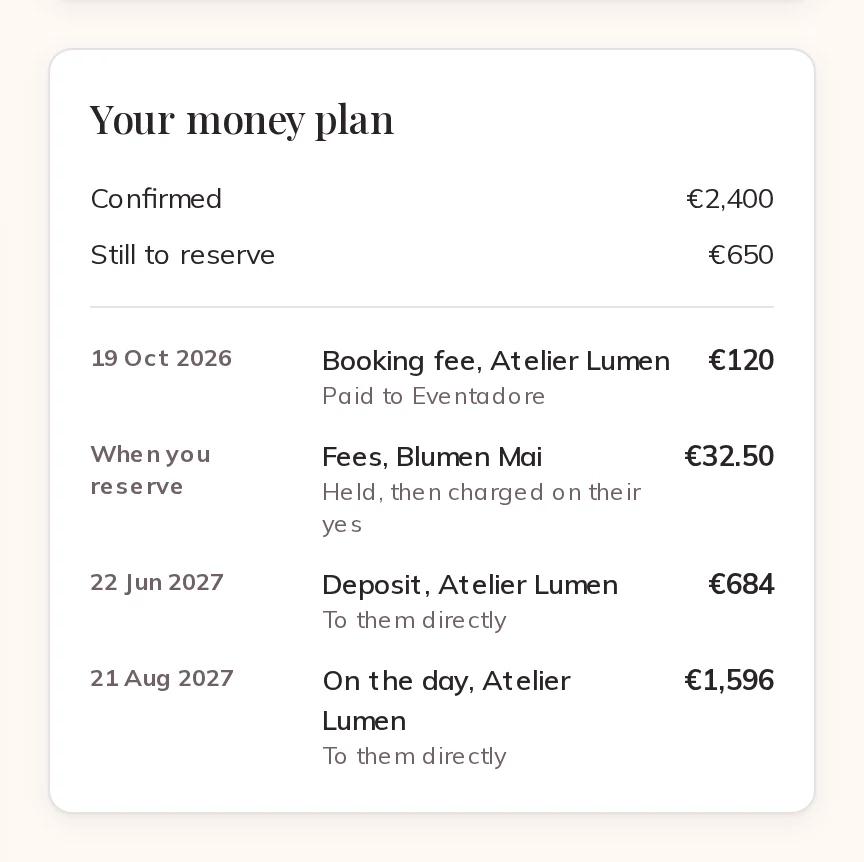
Your money plan, beside your suppliers, lists every payment still to come, in order: the fees still to hold, each deposit with its date, and what you pay on the day. Payments to suppliers are marked as going to them directly — you pay those by the methods each supplier takes, not through Eventadore.
Your money plan: fees, deposits and the day
7 · Your invoices
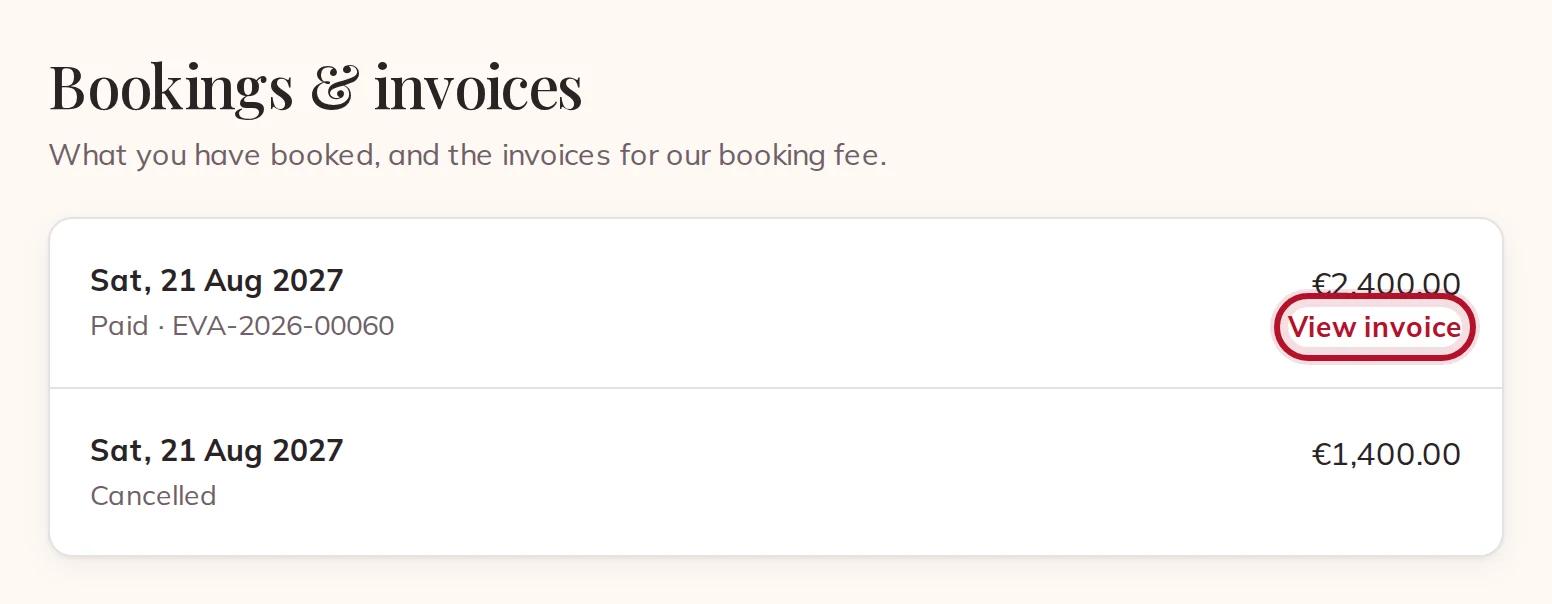
We invoice you for the booking fee only, with VAT included in it. Find every invoice in your account under Bookings & invoices, and open one with View invoice.
Bookings & invoices in your account
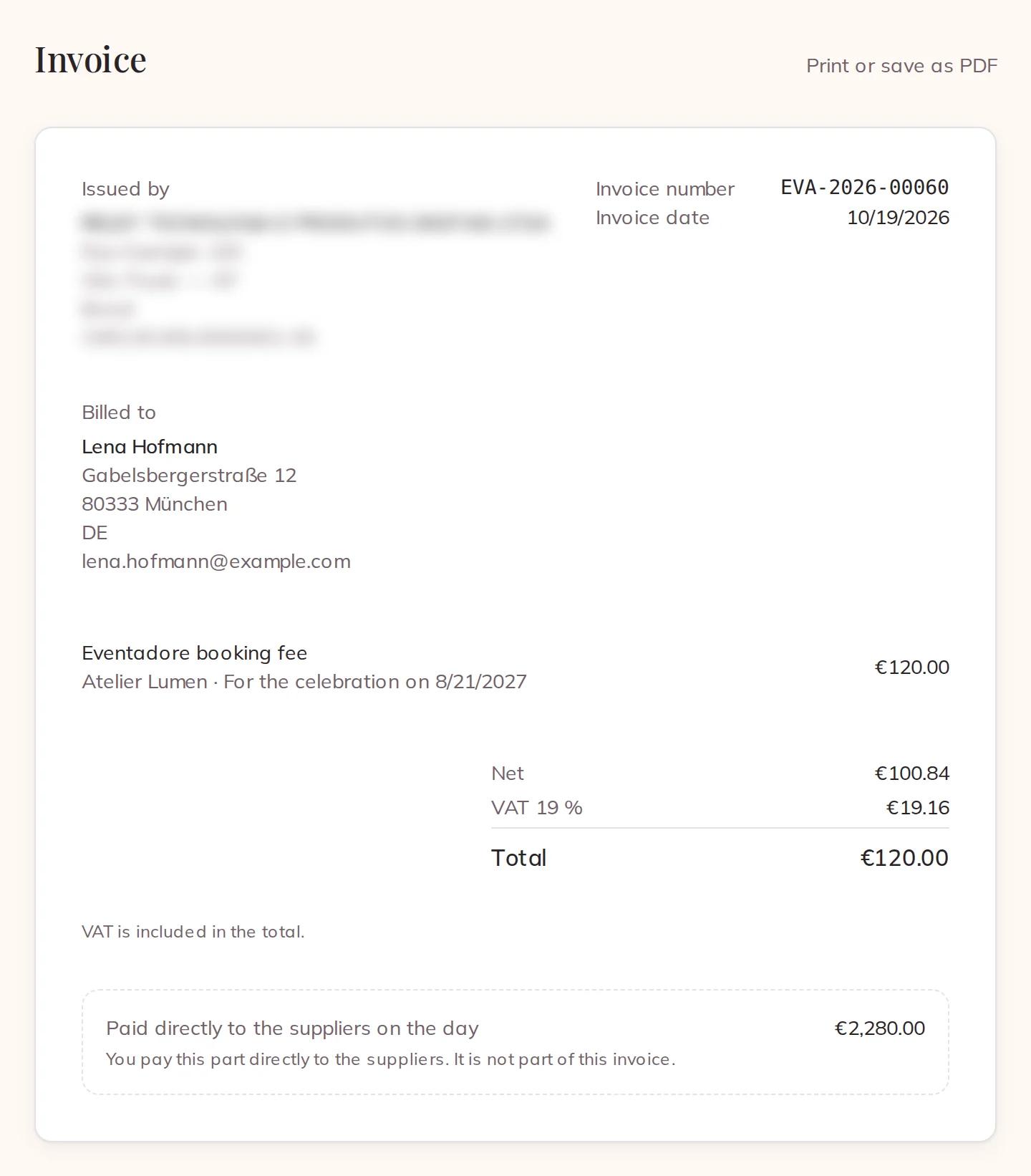
The invoice shows the fee, the VAT inside it, and — for your information — the part you pay the supplier directly, which is not on it. Print or save as PDF with your browser's print button.
An invoice for the booking fee
In the phone app, View invoice opens the same page on the website.
8 · Cancelling a booking
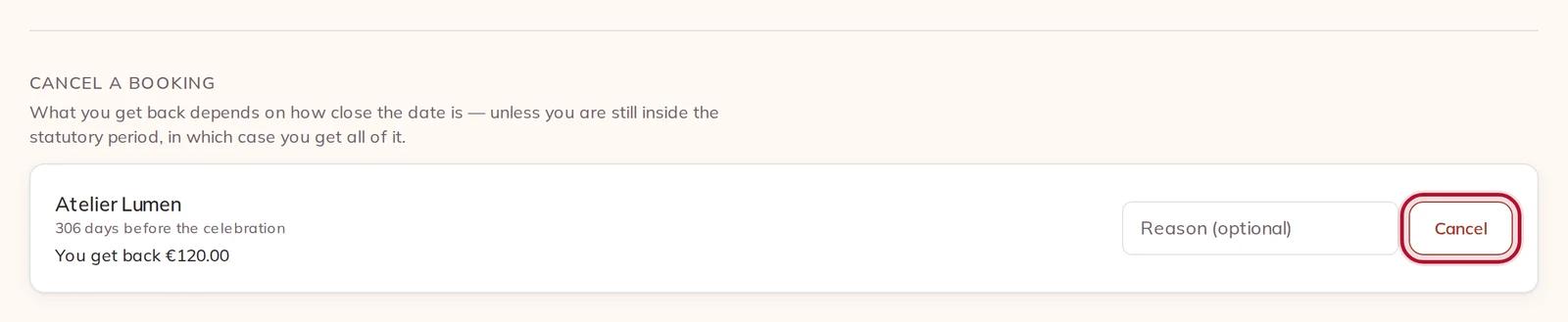
At the bottom of your Planning, Cancel a booking lists what you have booked. Each one says how many days are left and how much of the booking fee you get back, before you do anything. Add a Reason (optional) and press the button beside it. The day is free again for the supplier.
Cancel a booking: what you get back, before you cancel
What you get back follows the cancellation terms that applied when you booked, never the ones of today; the law can only raise that amount, never lower it. If the supplier cancels, you get the whole booking fee back. Cancelling is done on the website, not in the phone app.