AI w Eventadore: wyszukiwanie, asystent planowania i obrazy
Dwóch asystentów i twórca obrazów: co każde z nich może zrobić dla waszego ślubu, gdzie je znaleźć i czego AI nigdy nie robi.
Zespół Eventadore3 min czytaniaZaktualizowano 19 października 2026
OryginałCzytaj tłumaczenie
Eventadore has two assistants. The AI search finds suppliers from one sentence, and anyone can use it, even without an account. The Planning assistant works inside your planning: it knows your day, your suppliers, your checklist and your budget. And with AI images, you can have a picture painted for your invitation or your table cards.
The AI search
On the home page, the search has a second tab: AI search. You also find it in the menu.

Write what you need and where, the way you would say it to a friend — or tap one of the examples — and press Send. The AI turns your sentence into a search and shows you our own cards, with the price for your day. You add a supplier from their profile, just as in the normal search.

The AI search writes nothing into a plan, and we delete the conversation 30 days after its last message. You can ask about 40 questions a day; after that it says so, and you carry on tomorrow.
The Planning assistant
Once your planning exists, it has its own assistant. Open it from the panel on your planning, or tap one of its suggestions — Draft our running order or What is still missing? — to start with a question already asked.
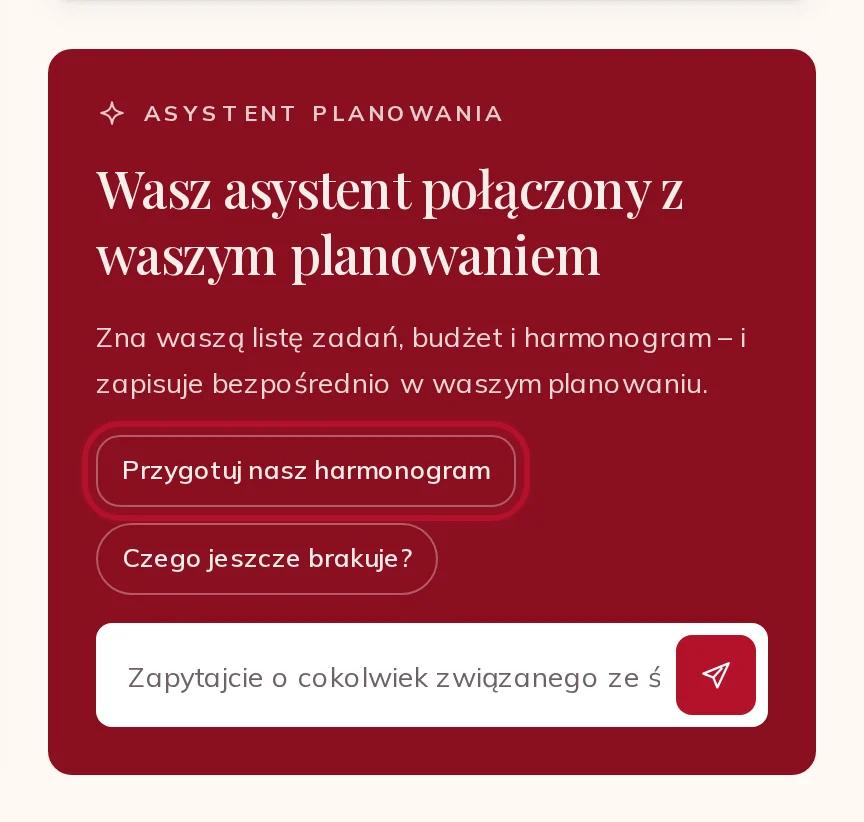
It reads your plan every time you ask: who is booked, what is missing, your checklist, your running order and your budget. It can:
- find suppliers for what is still missing, free on your day;
- put together complete selections — a venue, a caterer and a band that fit your day and your budget — where you can Swap a supplier or Add all to your planning;
- write your running order, and add tasks to your checklist;
- note your budget and your day, your place and your number of guests.

It writes only what you ask it to. Suppliers go into your planning when you add them — from its proposals too — and it never moves your place once suppliers are priced for it, because their prices depend on it. Complete selections are limited to a few a day; the page shows how many are left.
Speak instead of typing
Both assistants listen: press Speak instead of typing — the microphone beside the field — and say your question. Read aloud reads an answer back to you.
AI images
In your planning, AI images paints a picture from a description: a motif for your invitation, your table cards, or just for you. Describe what it should show, choose a Style — photo, watercolour, illustration and more — and press Create image.

Each celebration can create 30 images in total. An image you remove still counts; one that could not be made does not. Every image is marked as an AI image. Please leave names and contact details out of the description: it goes to our AI provider. AI images are for the couple only, not for helpers.
Suppliers' texts in your language
Suppliers write their profile once, in their own language, and we translate it for you with AI. A translated text says so, and Show original shows you exactly what the supplier wrote.