Registering is free: no sign-up fee and no subscription. Eventadore earns a fee only on a confirmed booking, and it is already inside your price — couples pay the rest to you directly.
Plan about fifteen minutes. Every step is saved as you go, so you can stop with Save and finish later and carry on from your partner area.
Become a partner
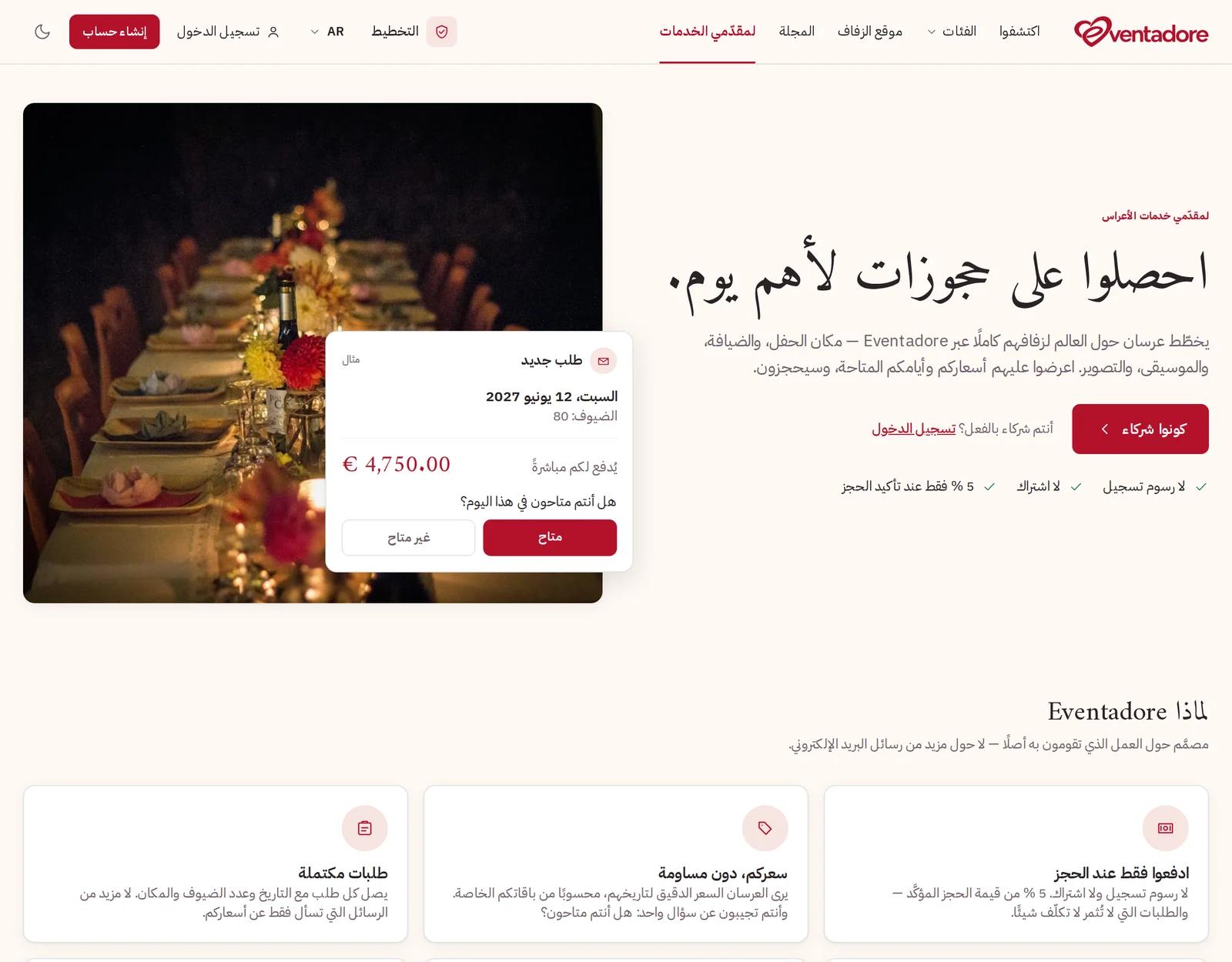
Open For suppliers at the top of the page and press Become a partner.
The page for suppliers, with Become a partner
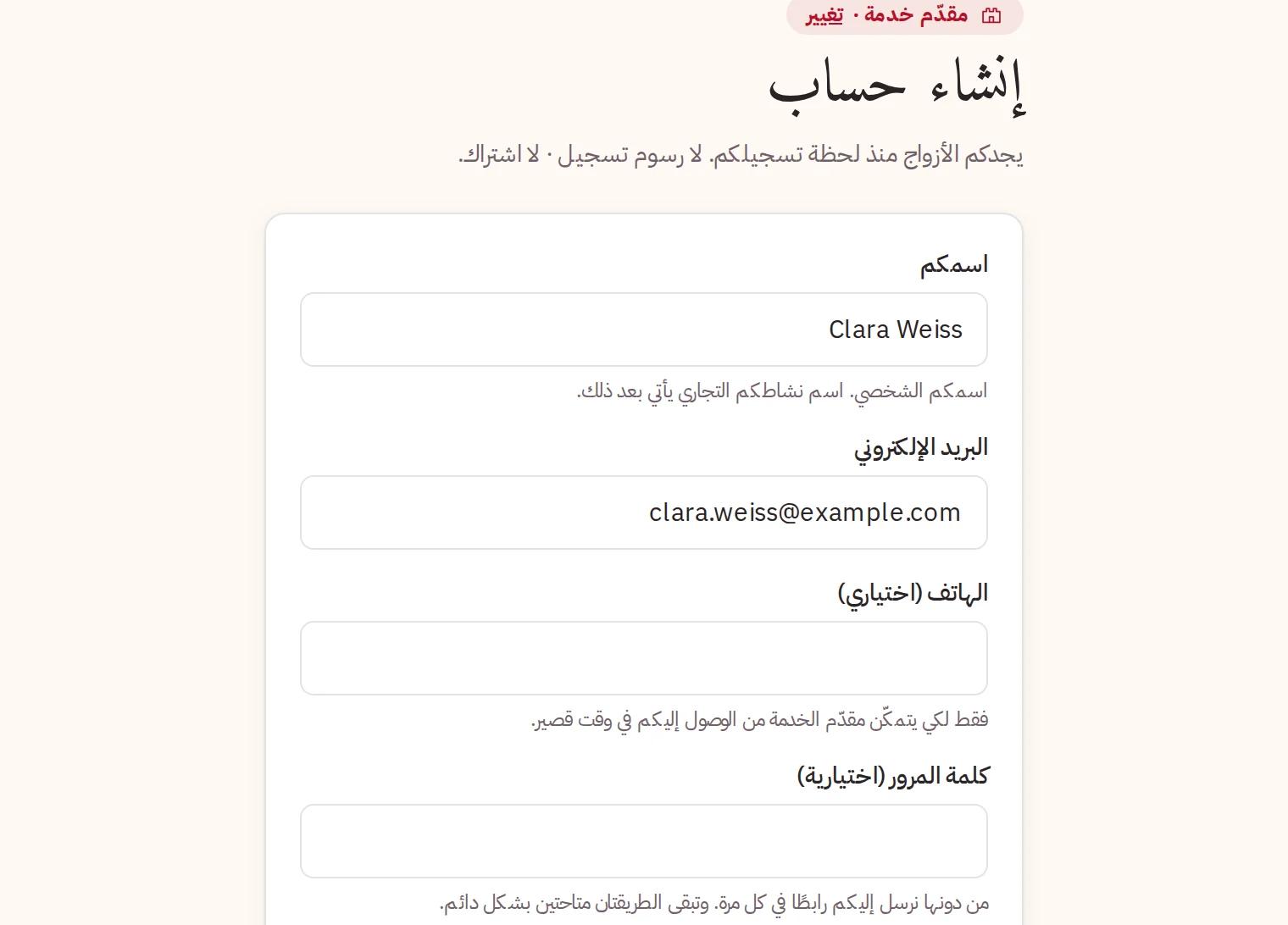
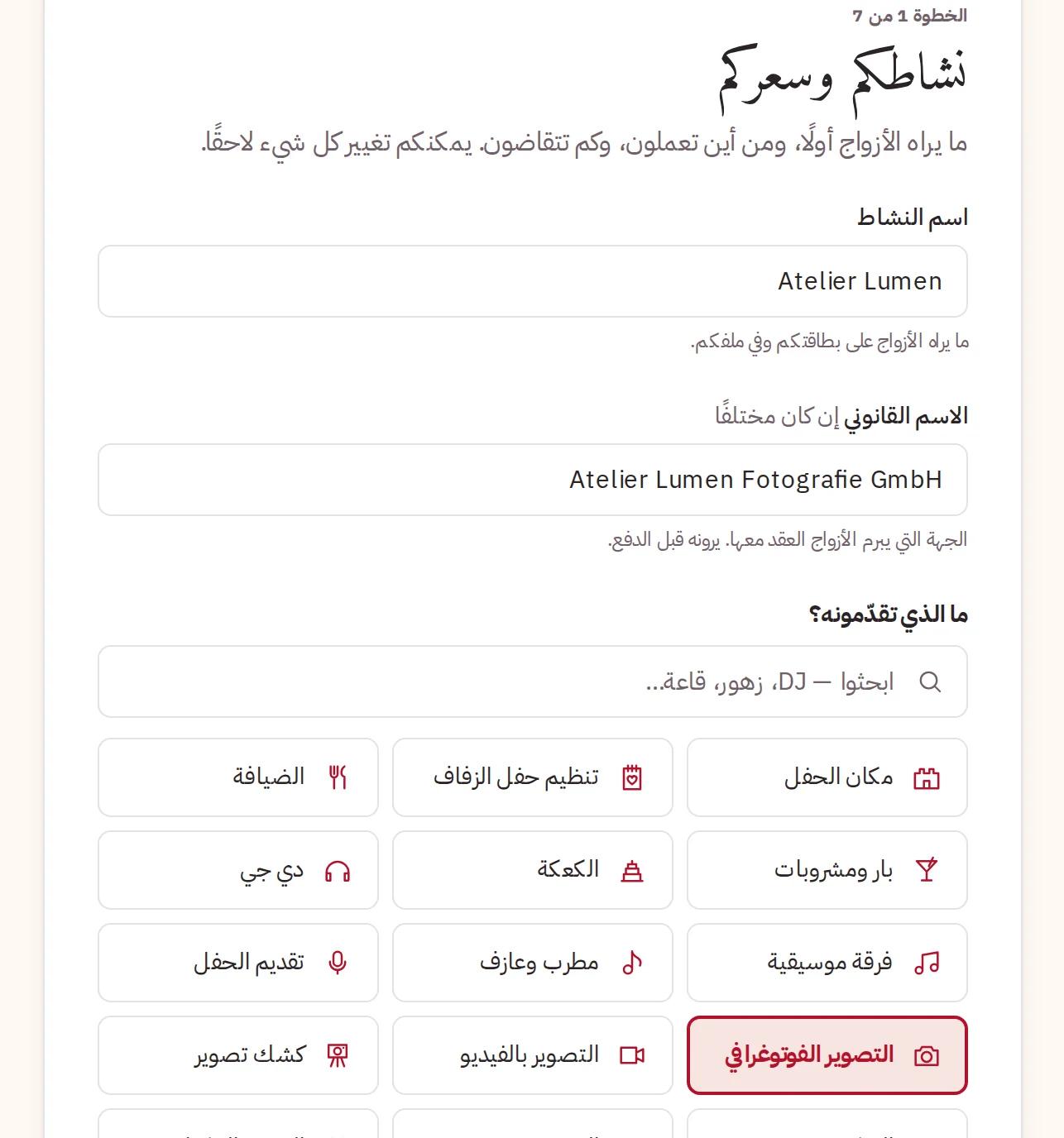
Create your account: Your name (your own — your business's name comes next), your Email, a Country and the Language for our emails. Tick the terms, press Create account and type the 8-digit code we email you.
Business name — what couples see on your card and your profile.
Legal name — only if it is different. It is who couples make the contract with.
What do you do? — your main service.
Your business's name and your main service
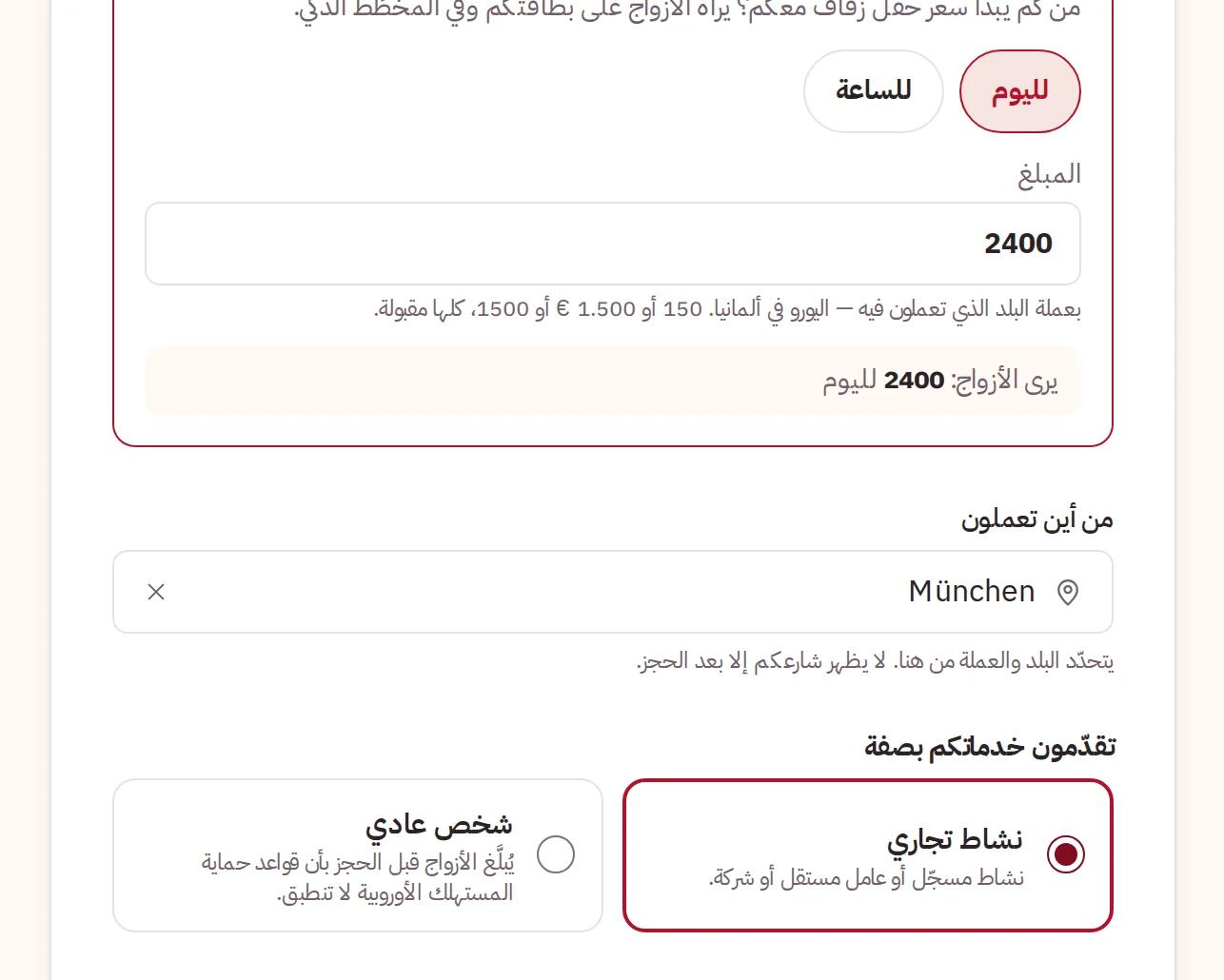
Then your price: how it is charged (For the day, Per hour with a minimum, or per guest, depending on your trade) and the Amount. Choose Where you work from from the list — it decides your country and your currency. Last, say whether you offer your services as A business or A private person; couples are told before they book.
Your price, where you work from, and business or private person
After this step, couples can add you to their planning.
Step 2 · What you offer
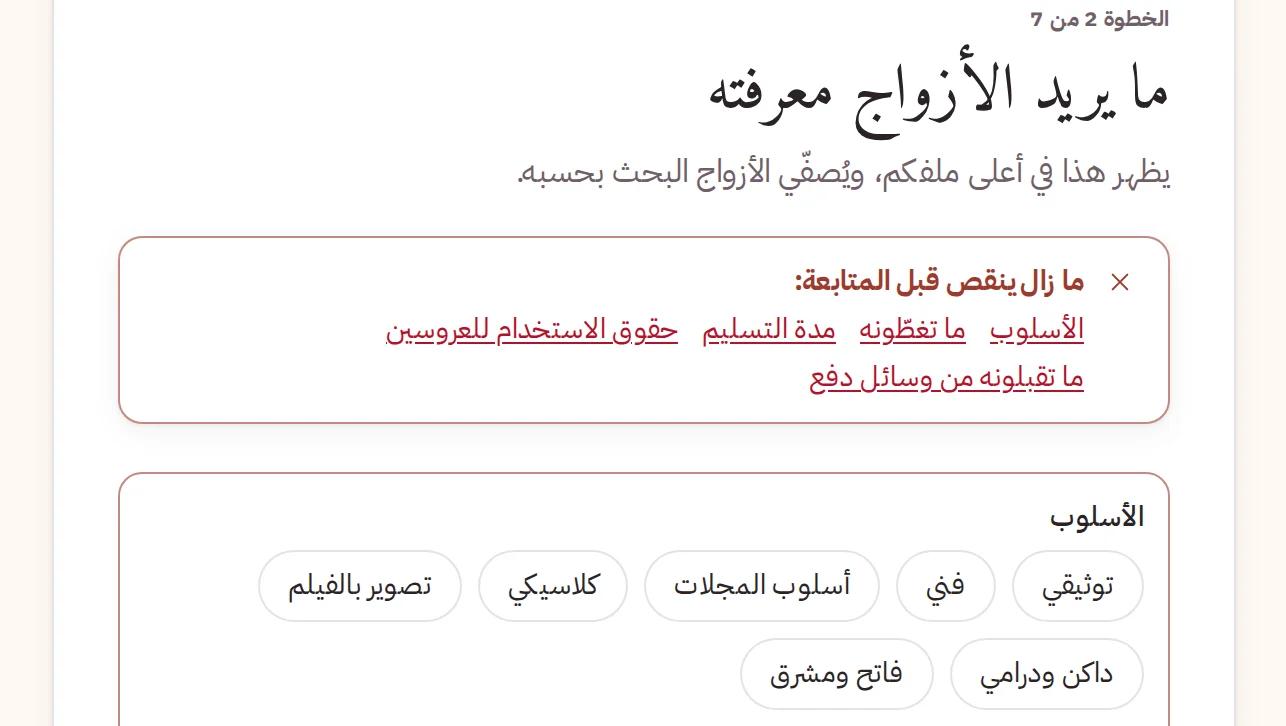
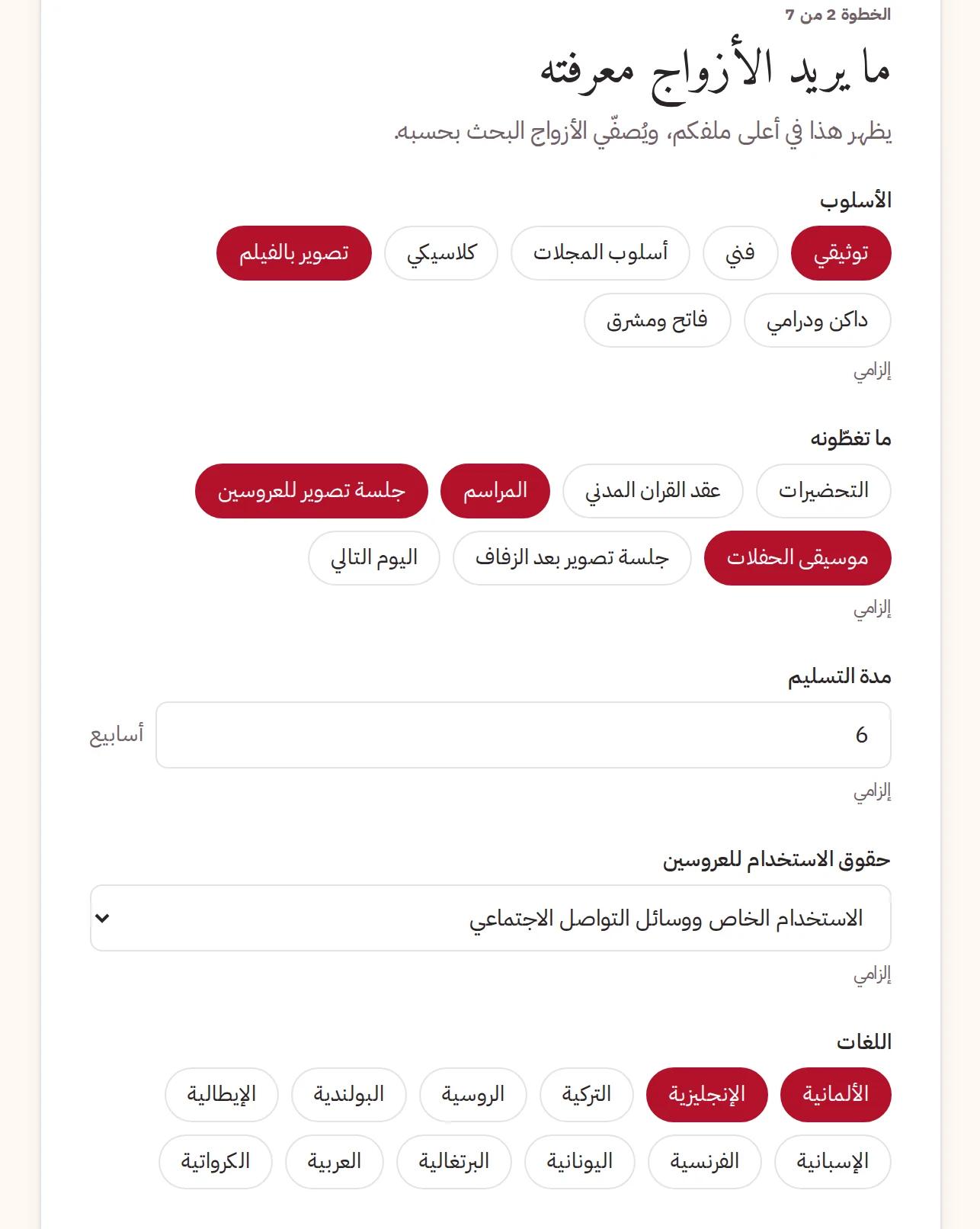
These are the questions couples ask about your trade, and the answers go at the top of your profile. Answers such as your style or your languages are also search filters: couples who filter by them find you. If something required is missing, Continue tells you exactly what.
A required answer still missing
The questions for your trade
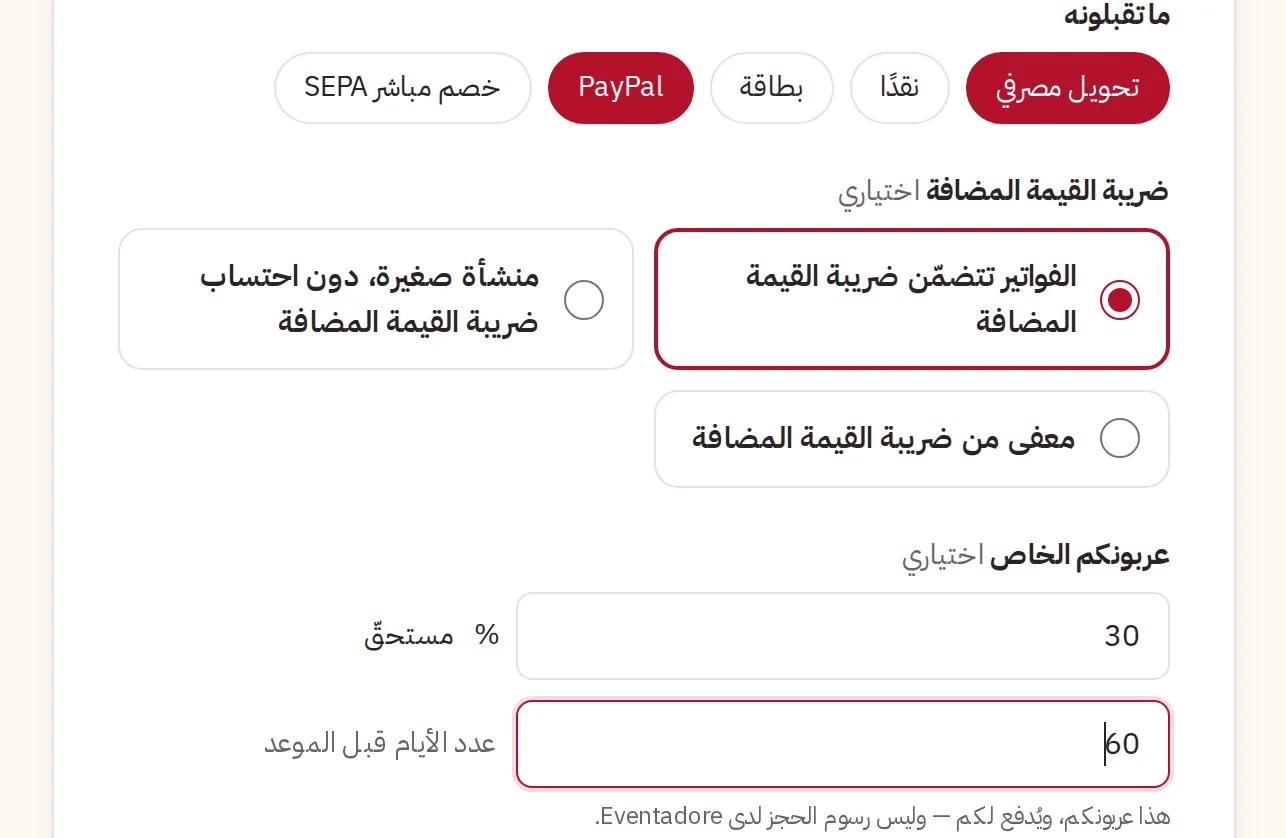
Below them: How couples pay you — the methods you accept, how your invoices show VAT, and your own deposit. The deposit is paid to you, by the couple, before the day; it is not the Eventadore fee.
Payment methods, VAT and your own deposit
Step 3 · Travel
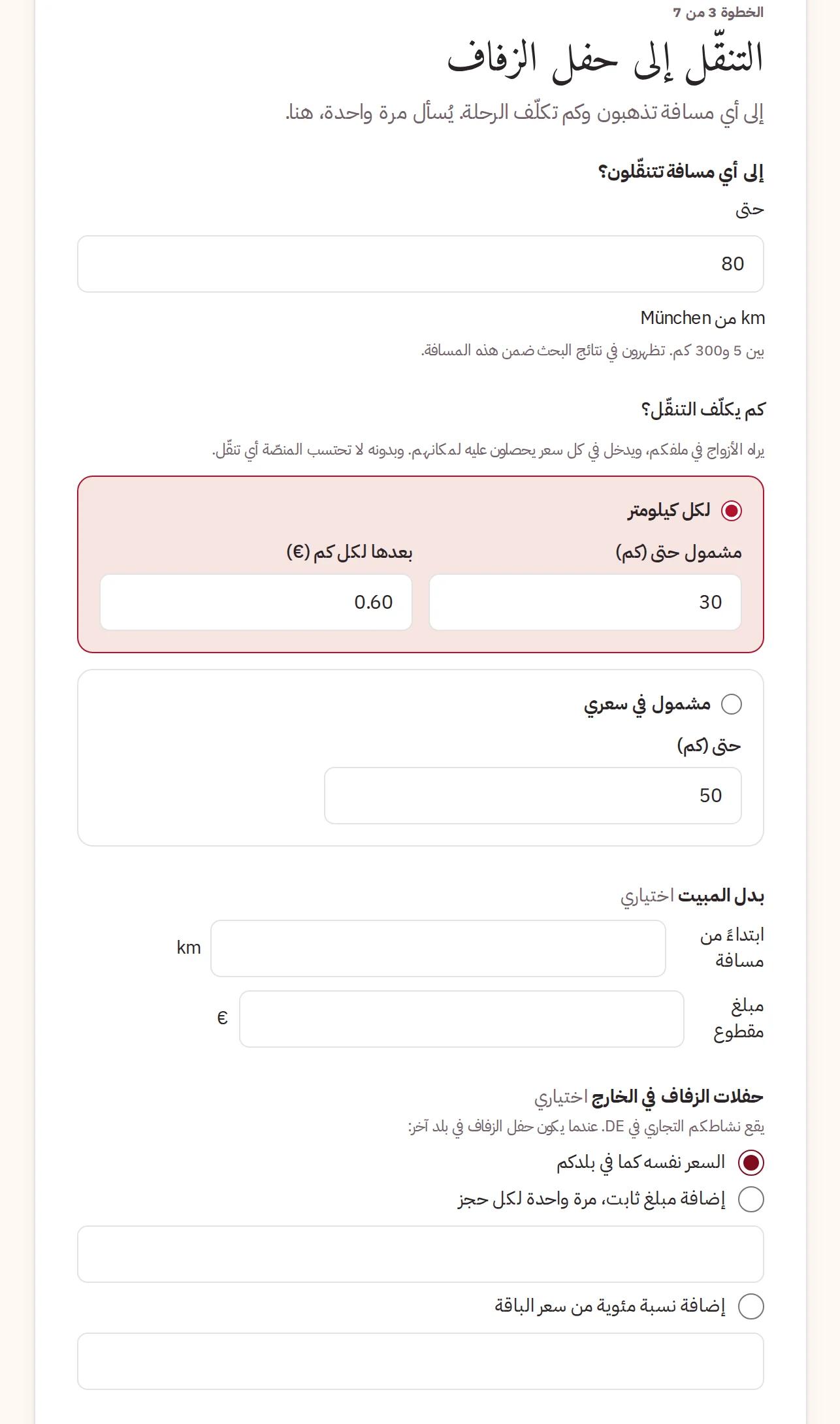
If you go to the couple, say how far you travel and how the trip is charged: Per kilometre after a distance that is included, or Included in my price. You can add an overnight allowance and a price for weddings abroad. Travel is charged once per booking, never once per package, and couples see it inside the price for their day.
How far you travel and what it costs
Venues answer Catering at your venue here instead: your own kitchen only, a partner list, or free choice.
Step 4 · Packages and add-ons
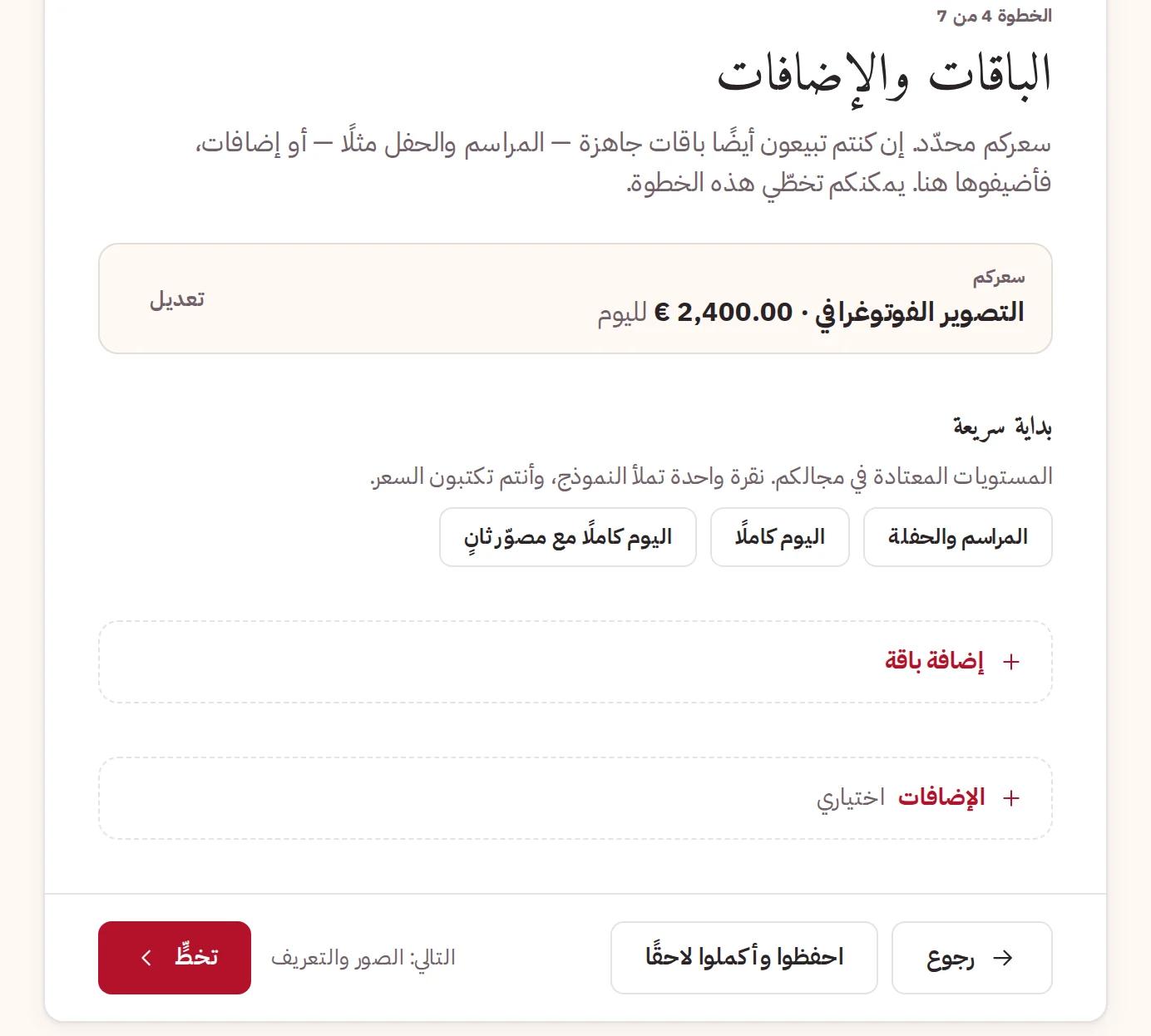
Optional. If you sell more than one version — a half day and a whole day, say — add them as packages, and add extras that can be booked beside them. You can Skip and do it later. A venue with its own kitchen adds at least one menu.
Packages and add-ons, which you can skip for now
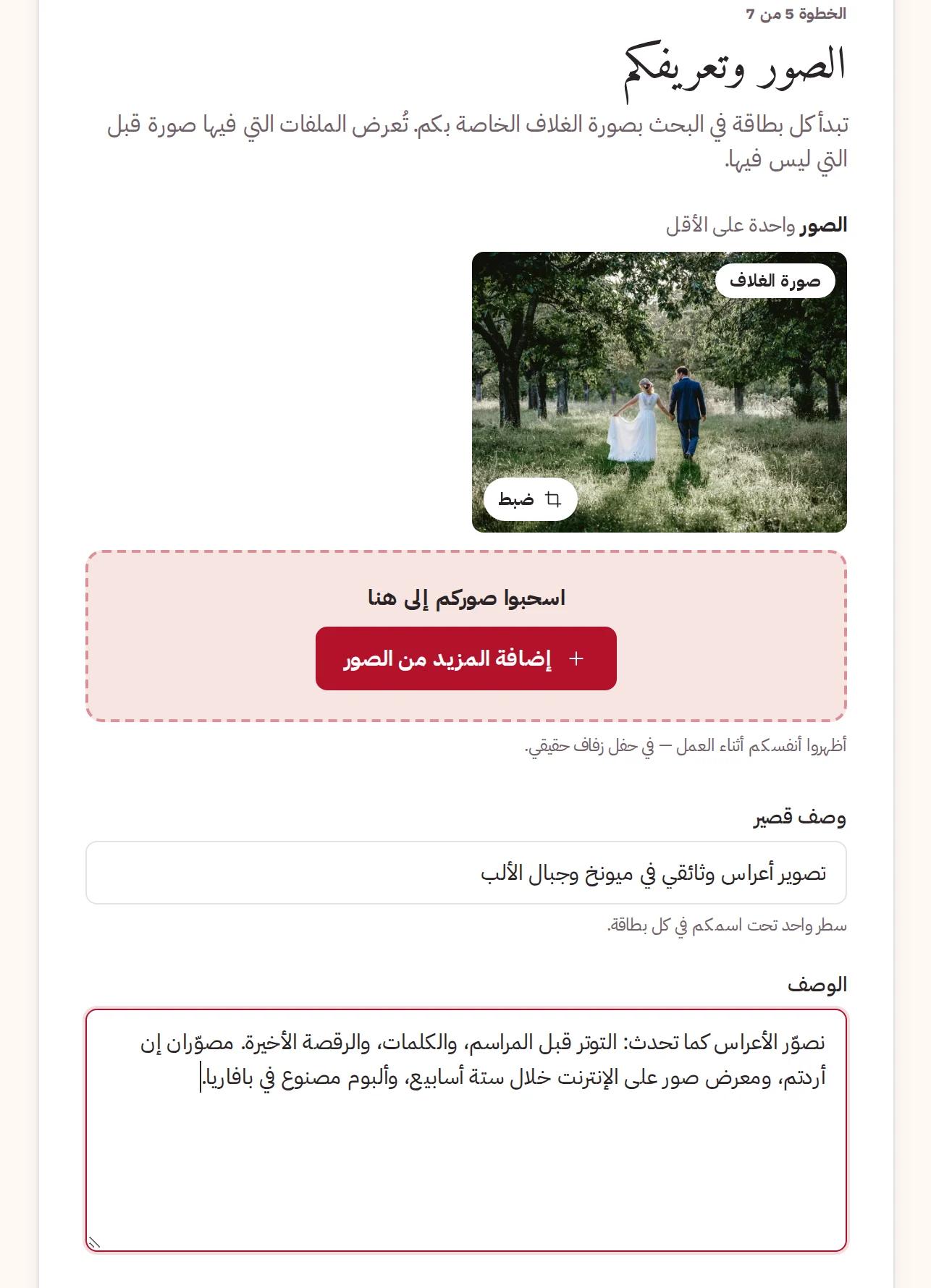
Step 5 · Photos and story
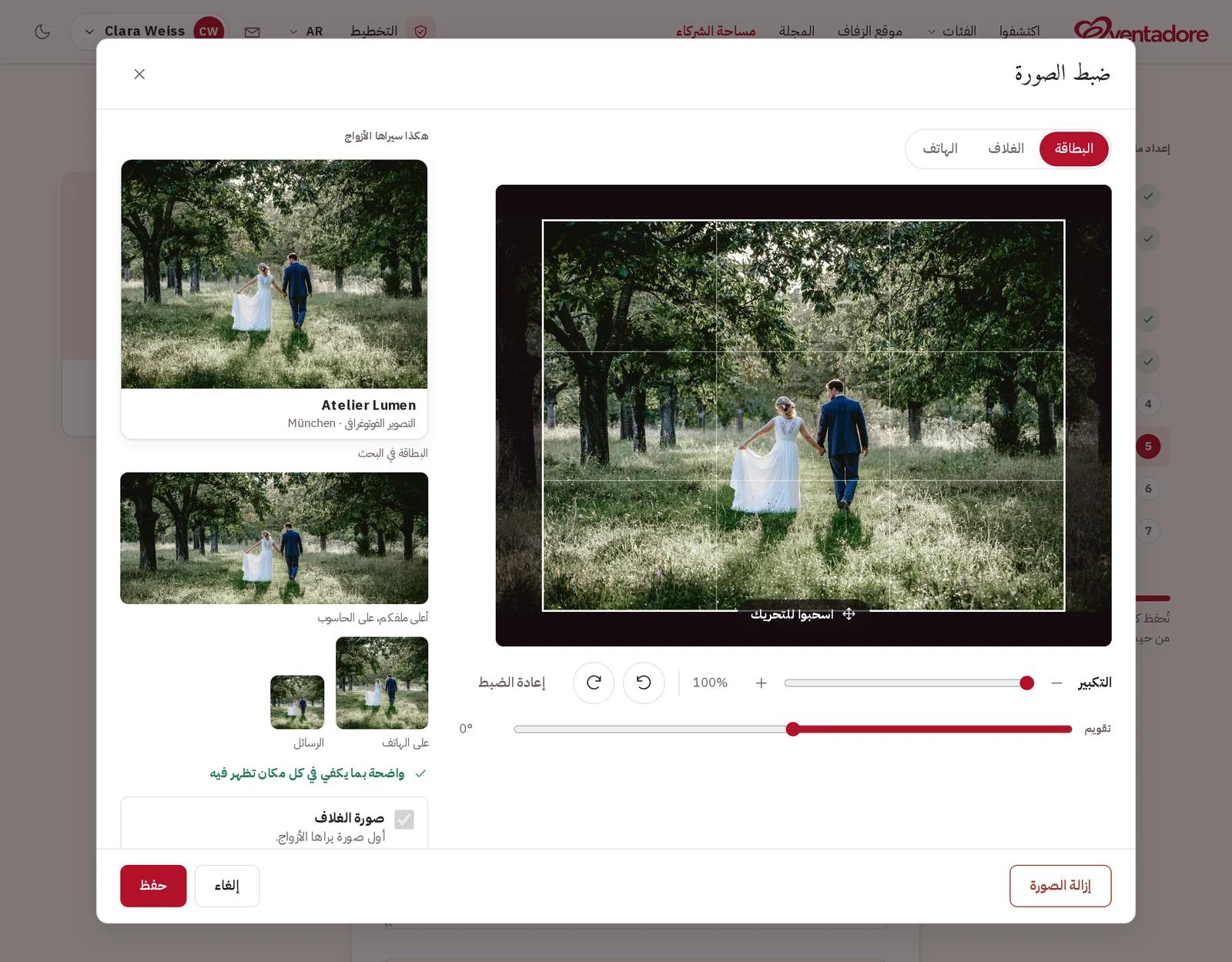
Add at least one photo. Each photo opens Adjust photo, where you frame it once for the Search card, the Profile banner and the Phone, and see how couples will see it. The first photo is your cover — the face of your business.
Framing a photo for the card, the banner and the phone
Write a Short description — one line under your name on every card — and a longer Description. Write them once, in your own language: when you save, they are translated into the other seven languages, and couples can always read your original.
Your photos, short description and description
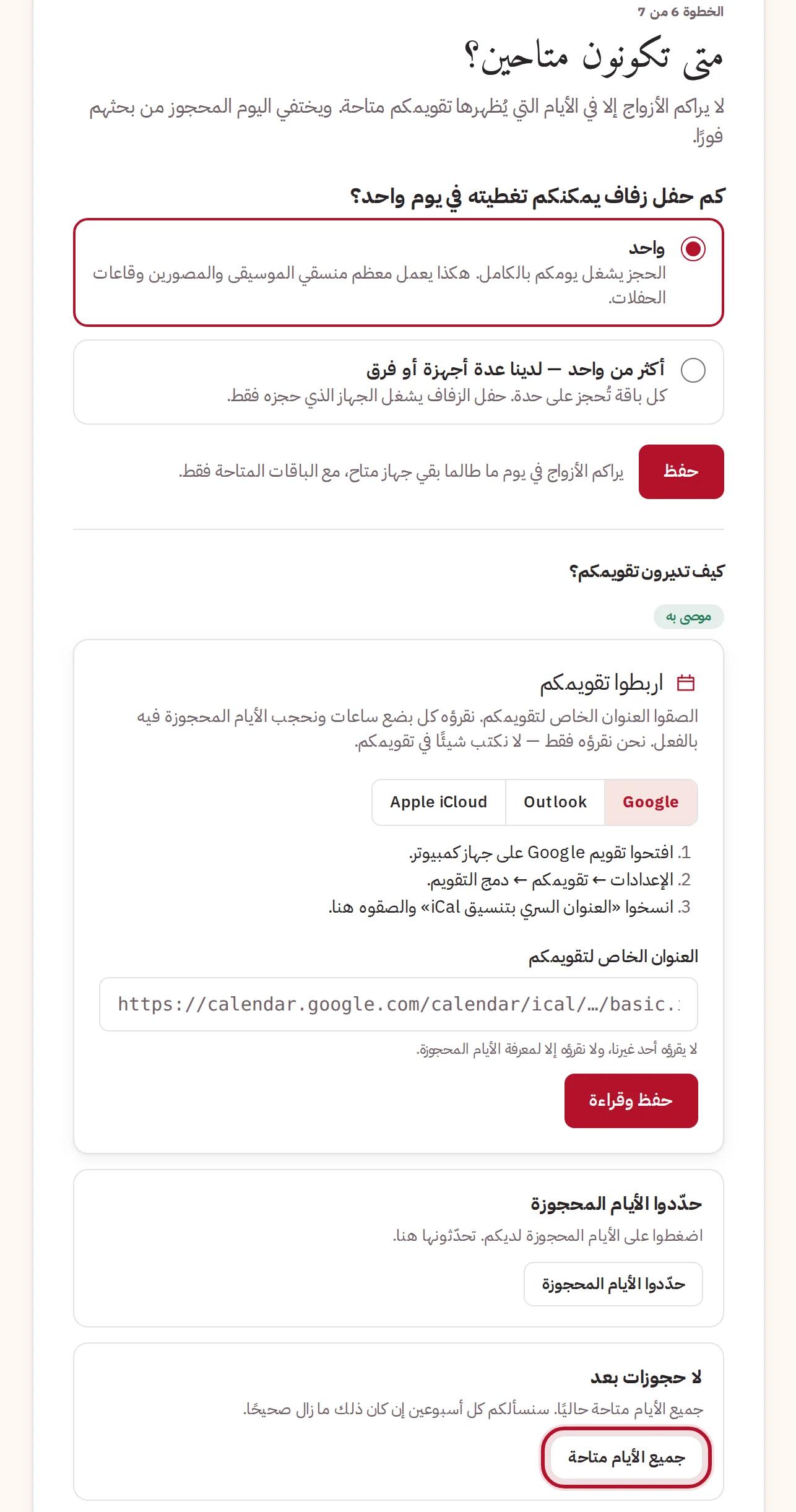
Step 6 · Calendar
First, how many weddings you can take on one day: One, or More than one if you have several teams or machines. Then keep your free days true, in one of three ways:
Link your calendar (recommended) — paste your Google, Outlook or Apple calendar's private address, and we read which days are taken. We never change your calendar.
Mark the days you are booked, by hand.
Every day is free — if nothing is booked yet.
The three ways to keep your calendar true
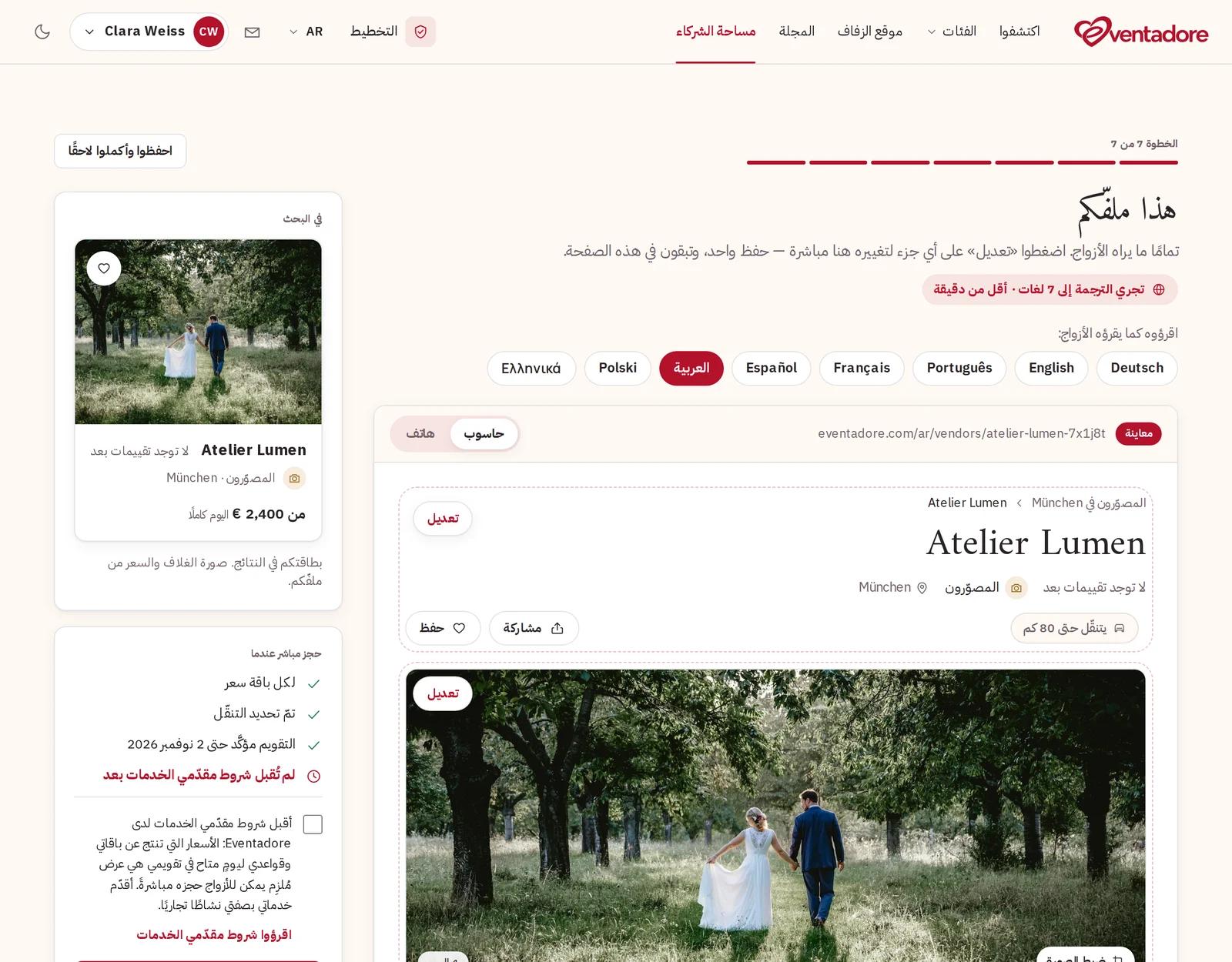
Step 7 · Your profile
This is your profile, exactly as couples see it, on a computer or a phone, in every language. Press Edit on any part to change it right there.
Your profile as couples see it, with Edit on every part
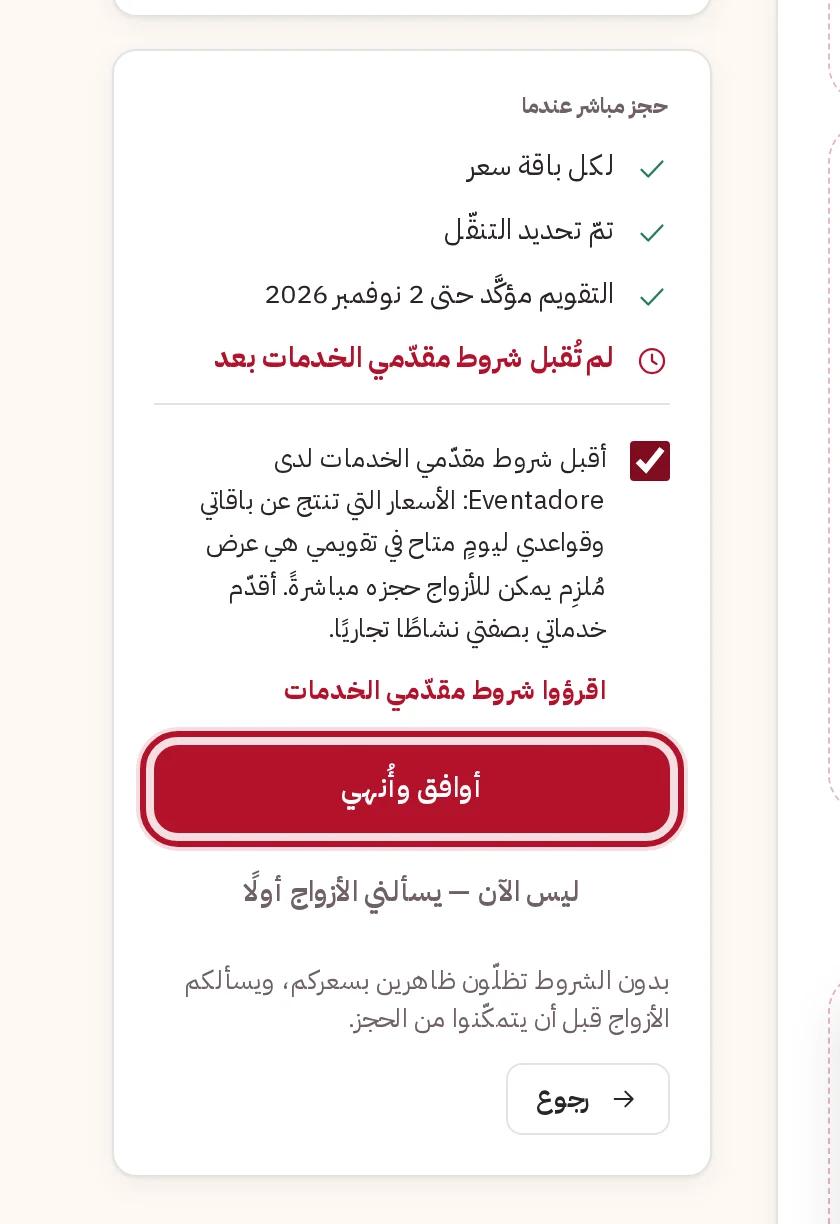
Last, the supplier terms. With Accept and finish, the price your packages and rules give for a day that is free in your calendar becomes an offer couples can book directly — they reserve, and you are booked — as long as every line in the box beside it is ticked. With Not now — couples ask me first, you stay listed with your price and answer each reservation yourself. You can accept the terms later.
The supplier terms and what booking directly needs
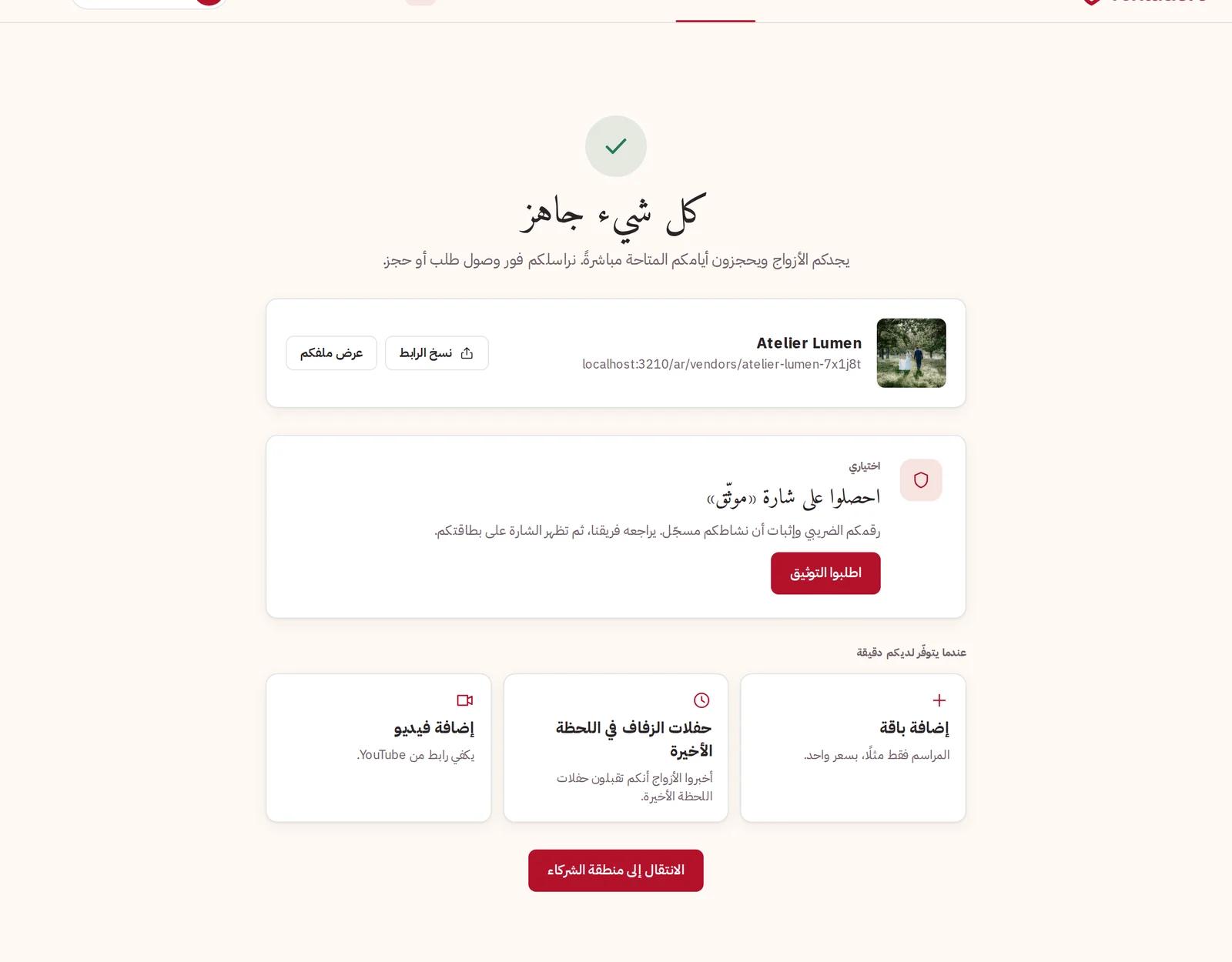
You are all set
Your profile is live. From here you can add a package, take short-notice weddings, add a video, or Get the Verified badge by sending your business documents — the badge is optional and never needed to be found.
You are all set
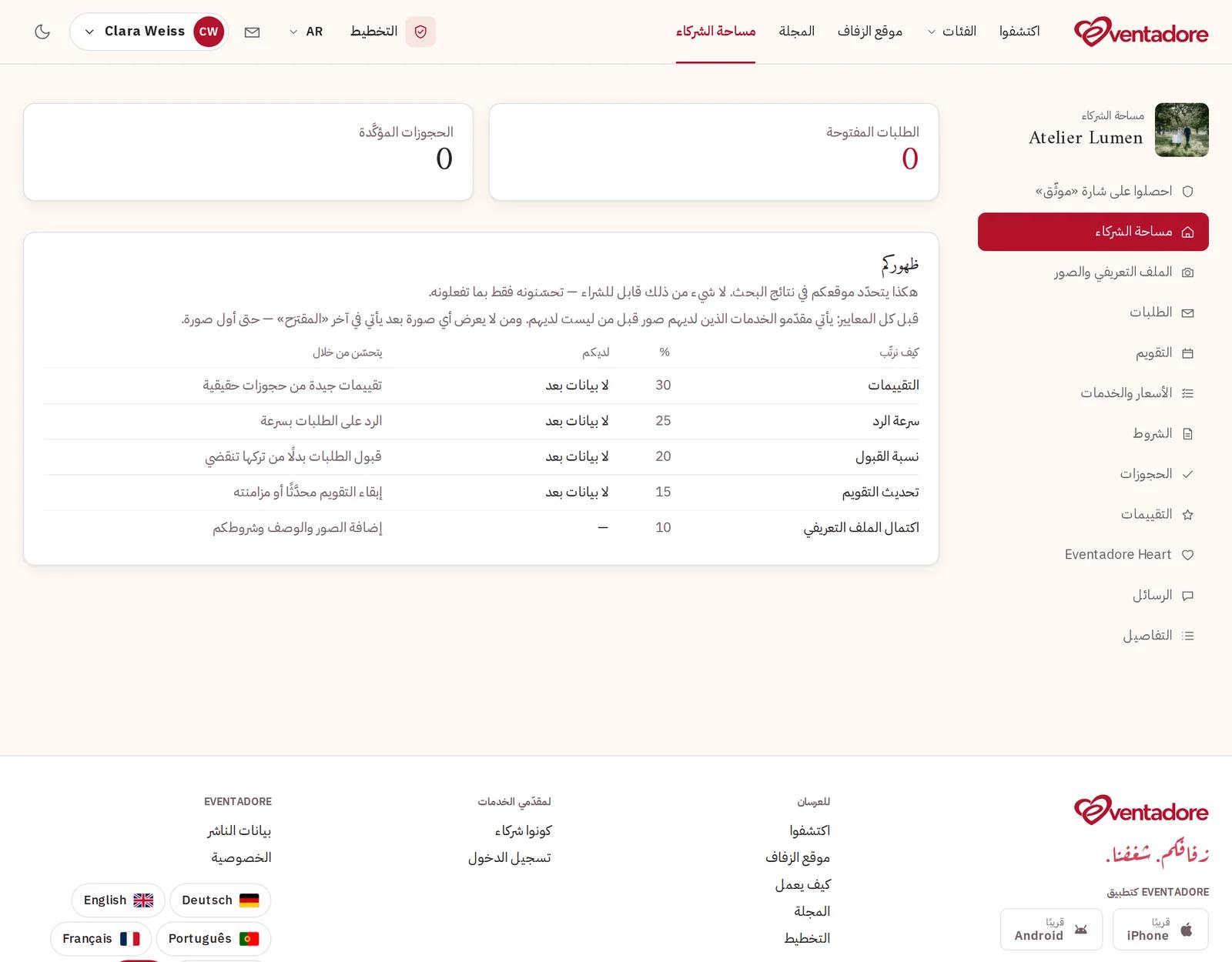
Your partner area shows your requests, calendar, prices, bookings, reviews and messages. When a couple reserves you, we email you, and you answer there or with one tap from the email.